Software made for studios
Well-known animation programs are built for whole teams. For a first film, you get lost in the menus before drawing anything.
Software for Windows 10 and 11 and for Mac · developed by FFSMC
Draw frame by frame with onion skin, rig a character as a puppet, paint a background on several layers and let the camera give it depth: everything you need to make a real cartoon, from the first sketch to the final video. A built-in guide shows you every move.
You start with a bouncing ball and end up with a short film, its background, its characters, its music. Pulsio Lab is there at every step, without ever forcing its own way of working.
During the trial every feature is open, puppets and camera included. · From €79.00 lifetime licence, 1 computer

Well-known animation programs are built for whole teams. For a first film, you get lost in the menus before drawing anything.
Paying every month for a hobby or a small project quickly becomes discouraging. The day you stop paying, you can't even open your films again.
Without puppets or a camera, making a character walk in front of a landscape takes hundreds of drawings. People give up before seeing the result.
Traditional frame-by-frame animation and the tools that save hours, in one program. Every button has its tooltip, F1 opens the built-in help, and the step-by-step guide has you make each move once.
A real cartoon
The timeline shows every track of the film: sky and mountains, hills, foreground, the character. Each track has its drawings, its keyframes and its distance from the camera. You see everything at a glance and go back to any detail without breaking anything.
The film plays right in the program, with sound, and exports to MP4 video for social media, to GIF or to image sequences.
In every edition
Eleven styles
Clear line, soft shapes for little ones, manga and anime, action cartoon, classic cartoon, cut-out paper, chalk and pastel, pixel, giant robots, great adventure, volume and reflections: each style sets up the palette, the line, the rhythm, a proportion sheet and the title style.
Nothing is forced: change a color, thicken the line, switch to another style at any time.
In every edition

The studio method
Find the shape in blue, trace a clean line over it, lay the color under the line. The paint bucket closes small gaps in the line by itself, and the color runs slightly under it so no white edge is left.
Onion skin shows the drawings before and after, the sheet turns like on a light table, and the exposure sheet reads like the studios' one.
In every edition

Puppets
Each piece of the character is drawn on its own layer, then rigged as a puppet: pull a hand, the arm follows, the shoulder too. Poses are kept and put back with one click.
For speech, lip sync places the mouths at the right moments from the recorded voice.
Complete and Studio editions

Depth
Far distance, middle, foreground: each part of the background has its track and its distance. When the camera moves in or slides, the far distance barely moves and the foreground scrolls by, as in the great animated films.
The camera zooms, rotates, shakes at each explosion, follows a hand-drawn path and focuses on a layer.
Simple camera in every edition, full camera in Complete and Studio

Learn by doing
Ten step-by-step tours, live in the program: the bouncing ball, the studio method, the first character, the styles, the camera, the first photo film, sound, titles, export. A card says what to do, a circle shows where to touch, and the "Do it for me" button makes the move for you if you get stuck.
The illustrated user guide, in the program's language, takes people who have never made a cartoon by the hand.
In every edition

Moving things
A car crossing the screen, a cloud gliding by, a character walking along the path: the Move tool shifts, rotates and scales the whole track, and the program works out the movement between two keyframes.
The very first keyframe keeps the starting position: the movement starts from there, nothing to set.
In every edition, all automations in Complete and Studio

The result
The film exports in full quality, up to 4K, with sound: widescreen for computers and TV, portrait for phones, square. Titles and credits are added without leaving the program.
The effects library adds rain, snow, fire, smoke and lightning in one click, and every effect stays adjustable.
In every edition

Screenshots of the program as you will install it, version 1.2.0. Click to enlarge.
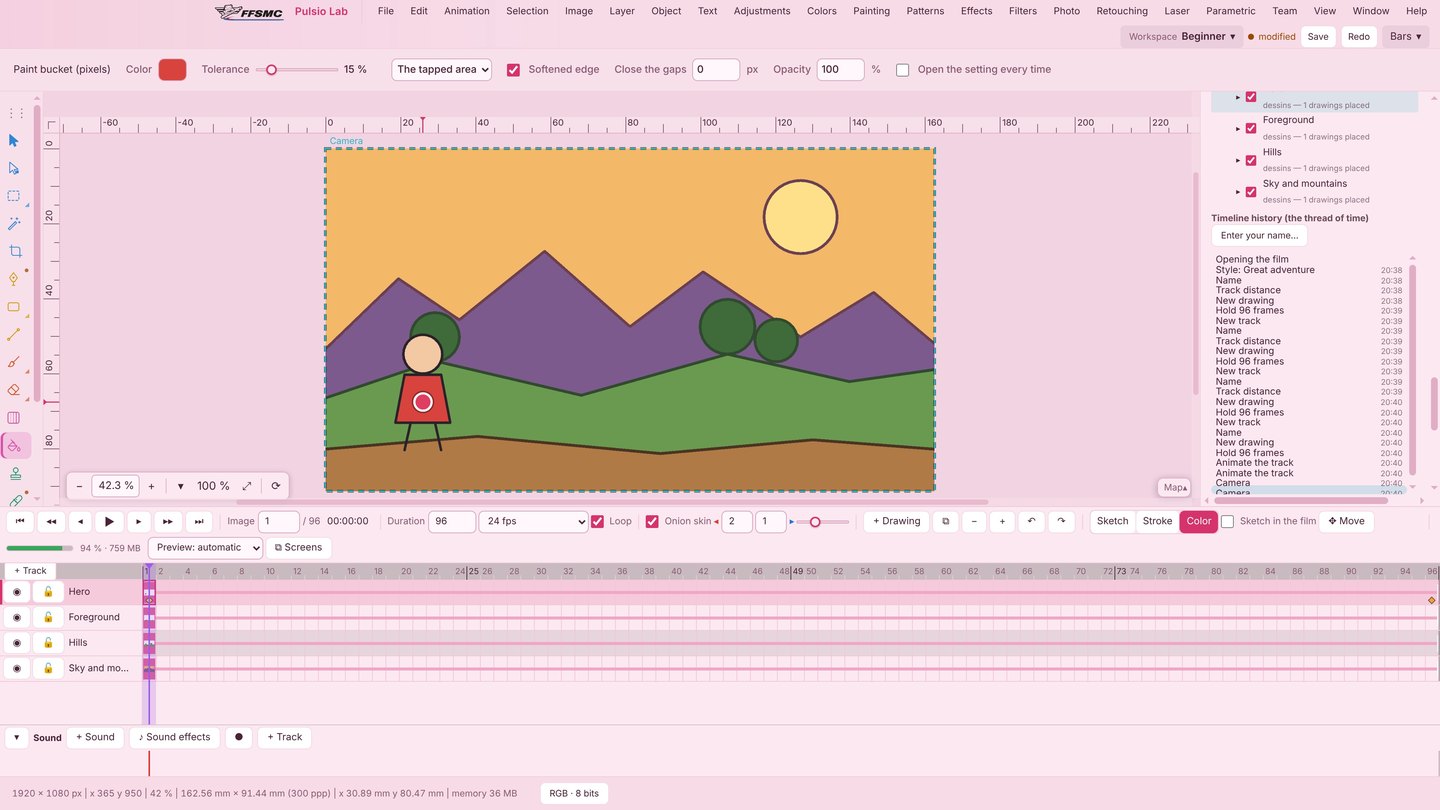
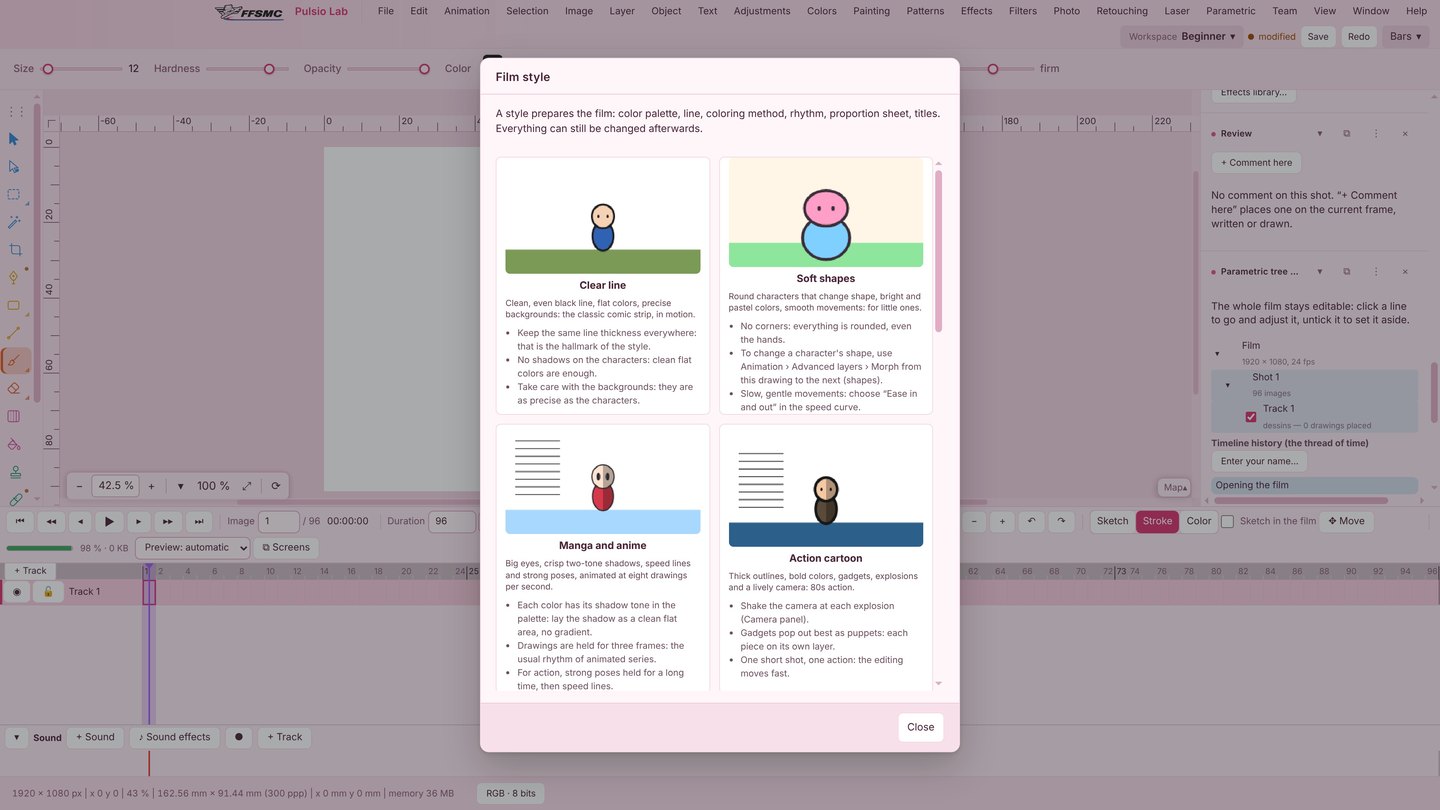
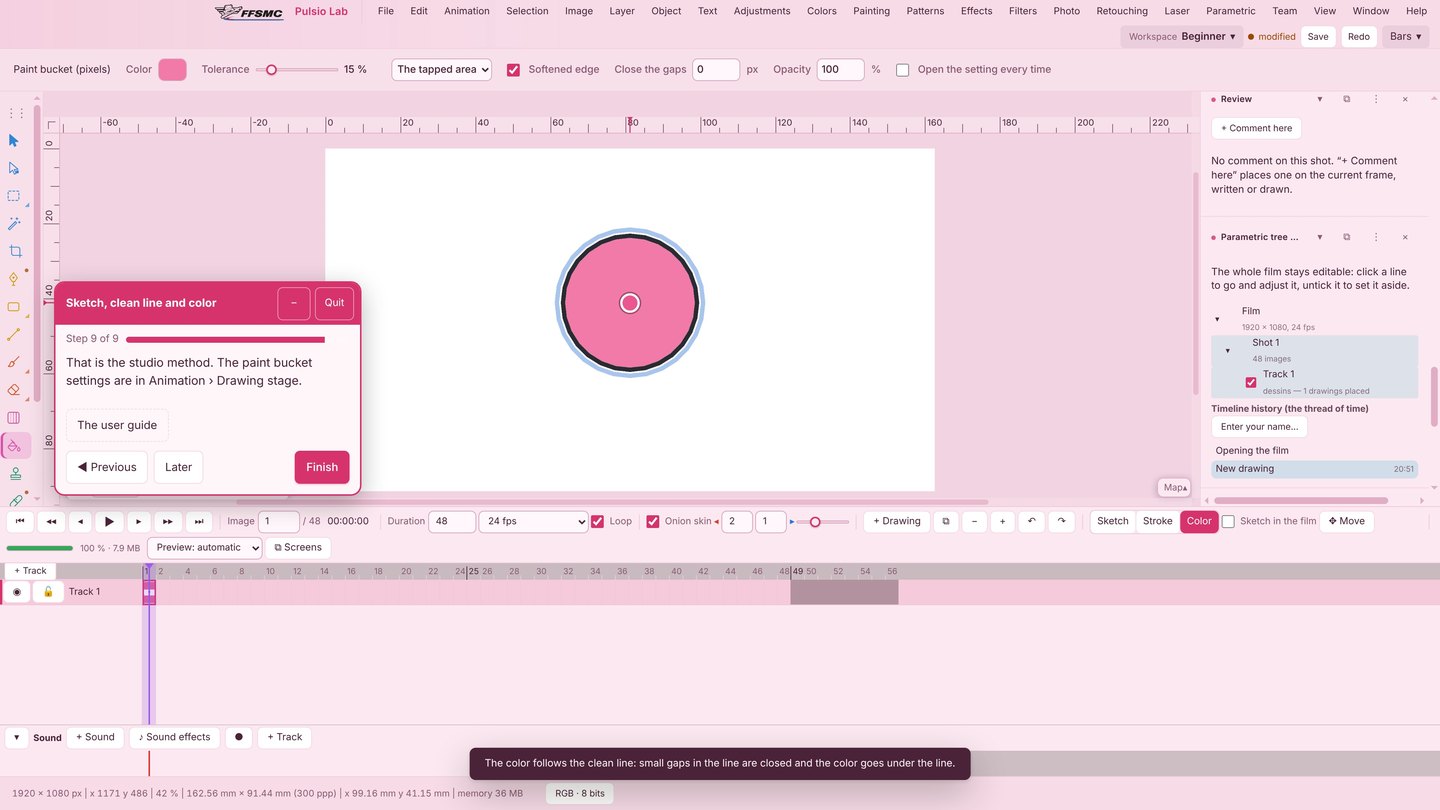
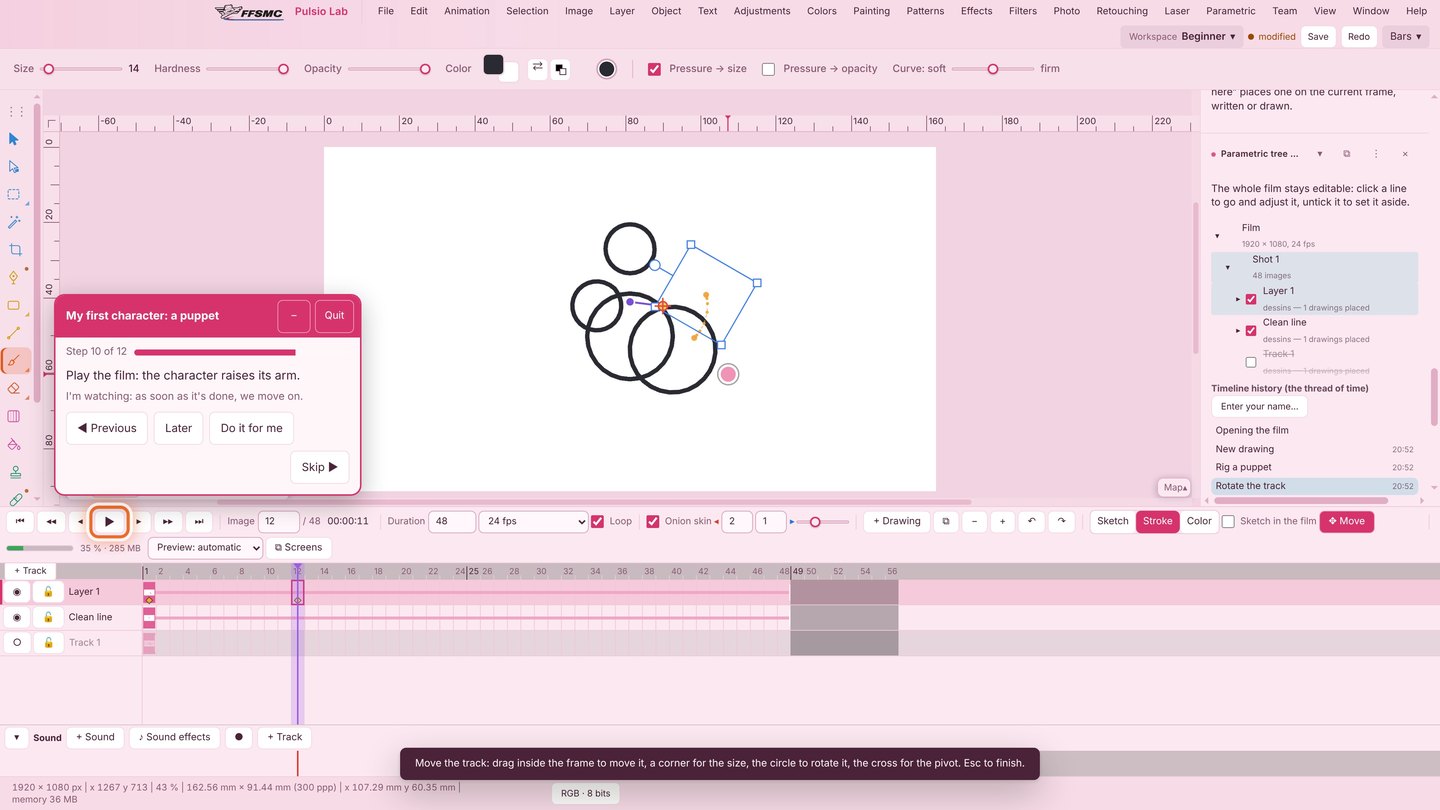
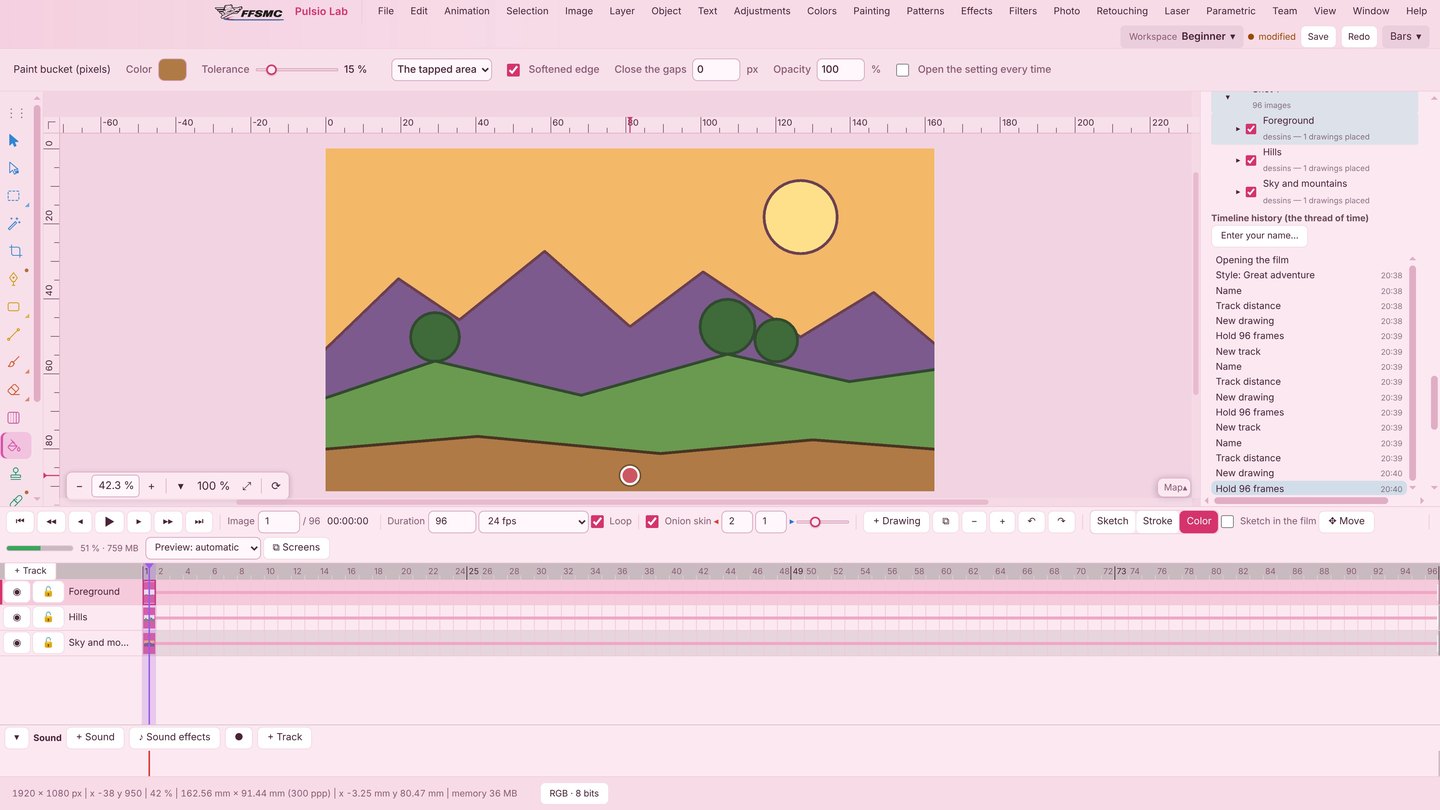
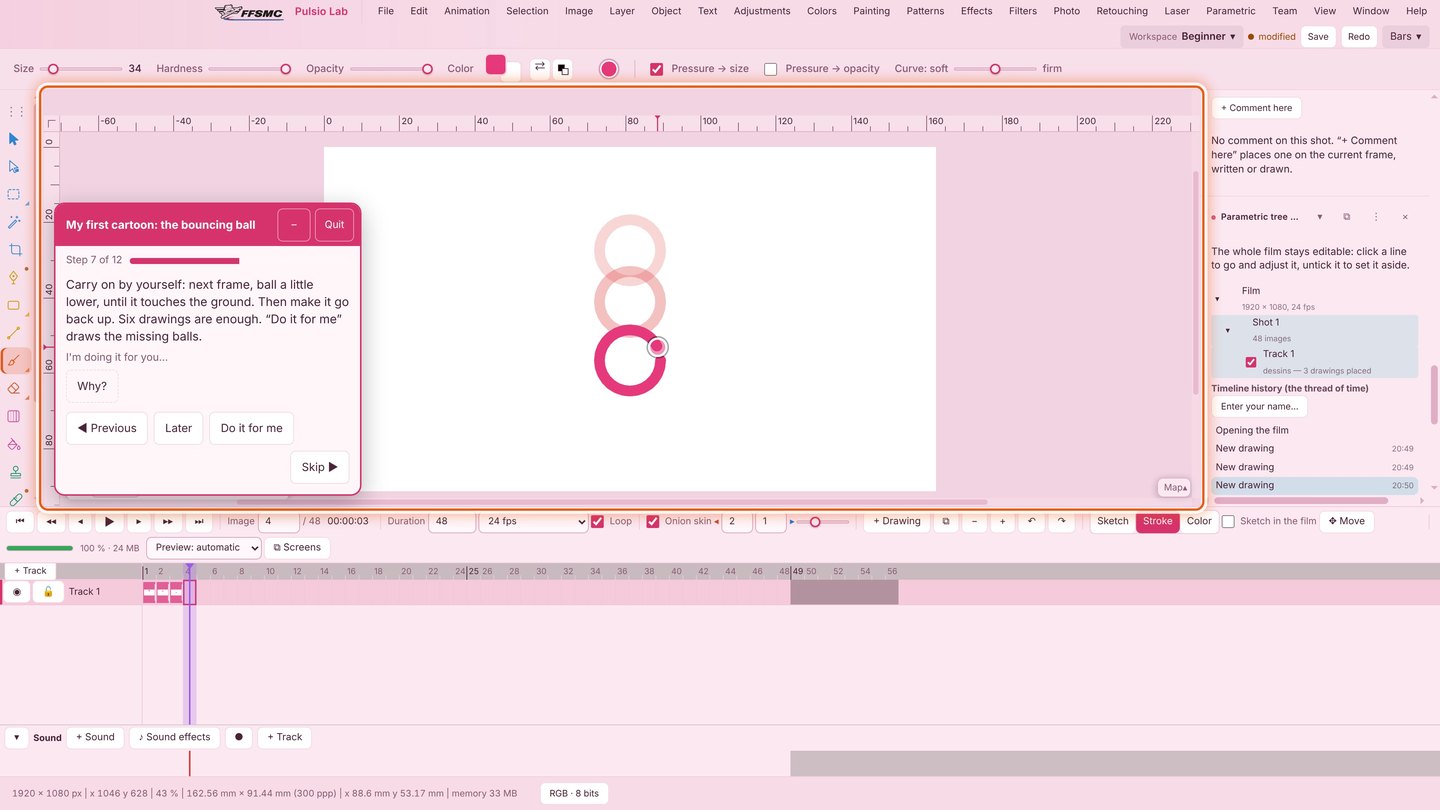
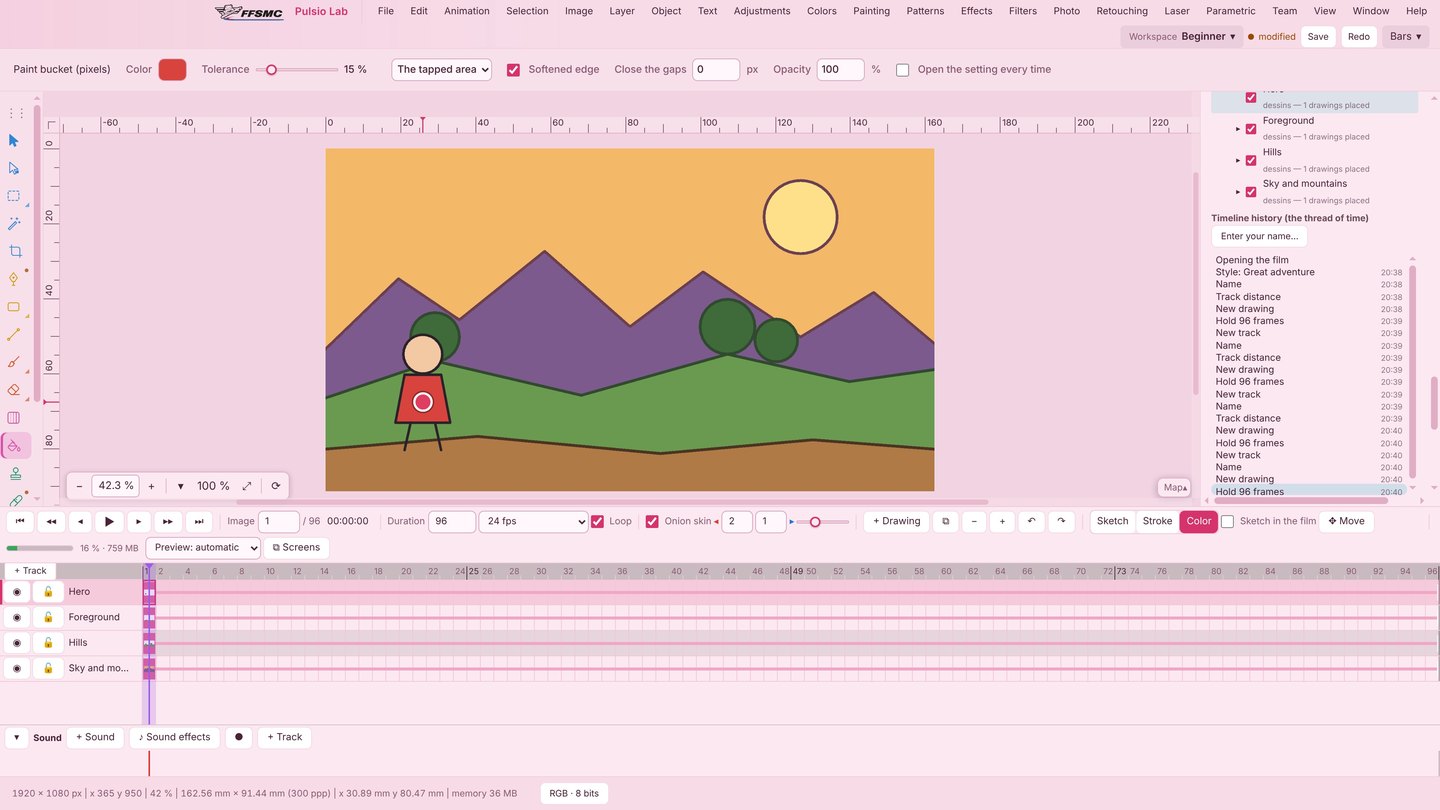
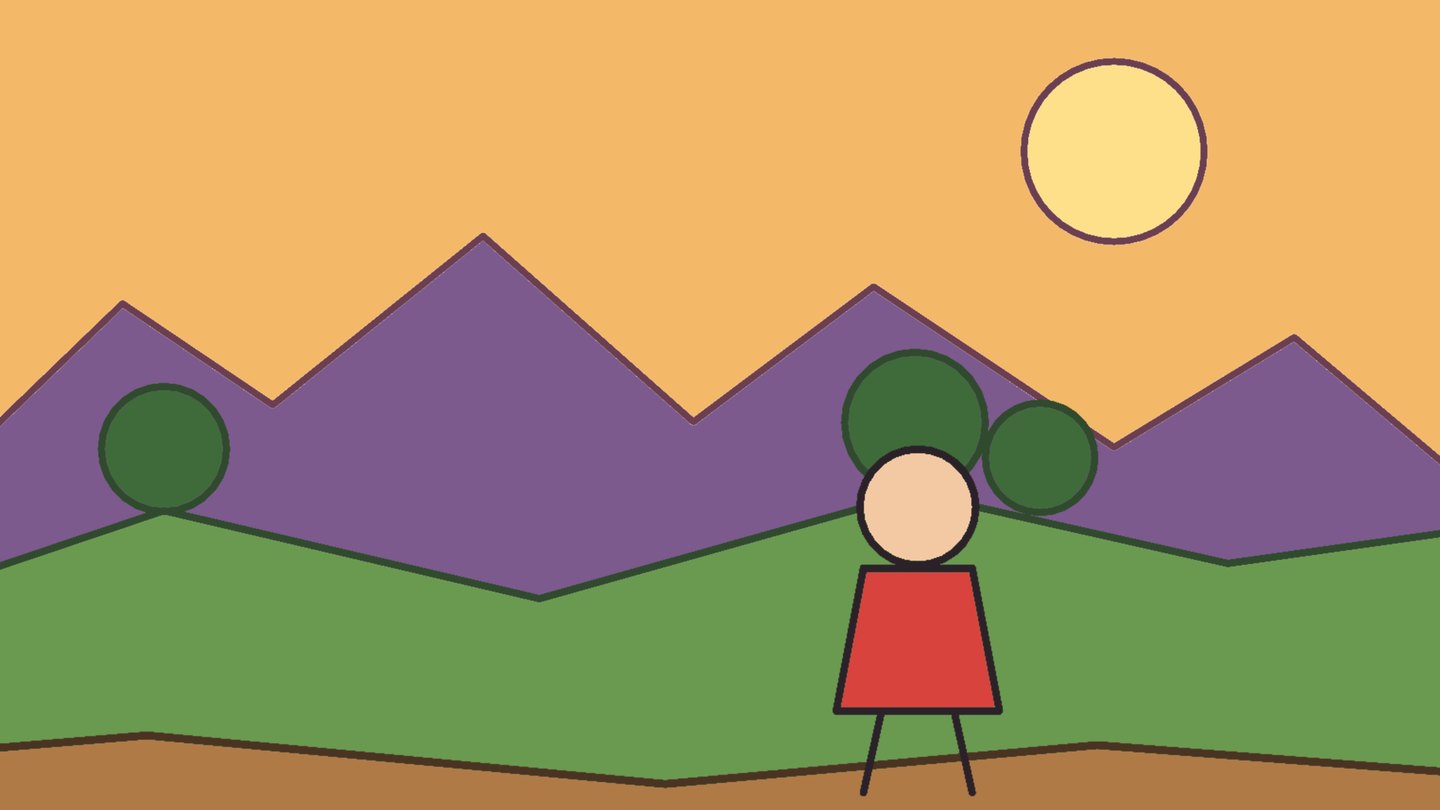
A cartoon is hundreds of pictures. Pulsio Lab keeps them safe, from the first line to the export.
The film is set aside regularly. If the computer stops, Pulsio Lab offers to pick up where you left off.
Movements, camera, effects and palette colors can be changed at any time in the film tree, without redrawing.
Each drawing keeps its own history, and the timeline has its own: a drawing deleted or moved by mistake comes back with one move.
Your films stay on your computer, no mandatory online account, no watermark, and they always open, even without a licence.
Each edition contains everything in the previous one. Essential and Complete are bought once, no subscription; Studio is a yearly licence for a small studio.
Frame-by-frame cartoons from A to Z. Lifetime licence, 1 computer.
€79.00 updates included for one year
To learn and make your first films: drawing, onion skin, styles, simple camera, sound and export.
Recommended
All of Pulsio Lab, puppets and full camera included. Lifetime licence, 1 computer.
€179.00 updates included for one year
The edition we recommend: puppets and layers at several distances change everything from the second film on.
All of Complete on 3 computers, plus team films. One-year licence, renewable.
€299.00 updates included for one year
For a small studio, a school or an association: three computers and one shared film.
Essential and Complete are lifetime licences for one computer. Studio is a one-year licence for three computers, renewable with the same key. For Essential and Complete, nothing stops after one year: the licence is for life, only free updates are limited to the first year.
| Feature | Essential | Complete | Studio |
|---|---|---|---|
| Frame-by-frame drawing, onion skin, sketch, clean line, color | |||
| Eleven cartoon styles | |||
| Step-by-step guide, sample films, built-in user guide | |||
| Moving tracks, keyframes, speed curves | |||
| Camera: zoom, move, rotate, shake | |||
| Frame-by-frame photo animation (webcam or photos) | |||
| Sound: voice, sound effects, music | |||
| Titles and credits | |||
| MP4 export up to 4K, GIF, image sequences | |||
| 2D puppets: bones, joints, poses | — | ||
| Lip sync | — | ||
| Full camera: path, layers at several distances, focus | — | ||
| All automations and full shot timing | — | ||
| Complete effects library | — | ||
| Transparent background and sprite sheets | — | ||
| Live capture and photo stabilisation | — | ||
| Team film on several computers | — | — | |
| Number of computers | |||
| Edition | €79.00 | €179.00 | €299.00 |
The installer contains every edition; the licence you activate decides which features are available.
A few settings and habits that save time.
Choosing a style before drawing sets the palette, the line and the rhythm at once: the film starts in the right style.
Where to find it Animation › Film style…
Most animated series hold each drawing for two or three frames: half the drawings, and the movement stays smooth.
Where to find it Timeline, − and + buttons
Right-click the background drawing › Drawing length › Until the end of the shot: it stays for the whole shot.
Where to find it Right-click a drawing in the timeline
Seen in a mirror, a flaw in a face jumps out. The drawing is not changed.
Where to find it Animation › Flip the sheet
What animators do naturally.
Important poses first, in-betweens afterwards: Pulsio Lab works out how many are needed and where.
Head, body, arms on separate layers: the character then becomes a puppet in two clicks.
"Sky", "Hills", "Hero": in a film with several layers, you find your way at once.
What we are asked most often before people buy.
No. They are lifetime licences for one computer. Only free updates are limited to the first year; the program keeps working afterwards, with nothing to pay.
Studio covers three computers and team films, with updates for the whole licence period. It renews every year with the same key.
Yes: seven days with every feature open, no credit card. Your films are still yours after the trial.
Yes. A licence is activated on one computer, Windows or Mac, and moves to another computer if you change machines.
Yes. Your .pulsio files always open, and films already exported are ordinary videos, with no watermark.
Yes. The built-in guide has you make your first cartoon in ten minutes, the bouncing ball, then a character, a background, the camera. The user guide starts from scratch and explains every word.
No. A ball, a figure made of circles and lines are enough to start, and photo animation lets you make a film without drawing at all, with objects or modelling clay.
No, a mouse is enough to begin. A pen tablet is recommended for drawing a lot: pen pressure is recognised.
A style prepares the film: the palette, the line, the rhythm, a proportion sheet and the title style. It is a starting point; everything can be changed afterwards.
Windows 10 and Windows 11, 64-bit, and Macs on macOS 12, Intel or Apple chip. Pulsio Lab also works on two screens or more: the timeline on one, the drawing on the other.
From a small game animation to 4K and beyond, at the frame rate you want. Pulsio Lab adapts its memory to your computer's.
Yes: with a webcam or a camera, or from photos already taken. The Complete Edition adds live capture, wire removal and stabilisation.
French, English, Italian, Spanish, German, Brazilian Portuguese, Dutch and Arabic, with the user guide in the first seven.
No question matches.
Pulsio Lab is developed by FFSMC, in France, by a professional graphic designer. Support is by email, directly.
Seven days, every feature open, no commitment. The guide is waiting when you open the program.
Try free for 7 days