A photo that doesn't make a good pattern
Too many colours, details that vanish, a face you can't recognise: a raw photo doesn't turn into a readable pattern by itself, especially with only 30 or 40 colours to work with.
Software for Windows 10 and 11 and for Mac · developed by FFSMC
The family cat, a holiday landscape, the children's portrait: pick the photo and the craft, and Pixel Craft Lab draws the pattern piece by piece with the real brand colours, and tells you exactly what to buy. Diamond painting, fuse beads, mosaic, colourwork knitting or bricks.
See the result before you open the first bag.
Every feature is open during the trial. · From €79.00 lifetime licence, 1 computer

Too many colours, details that vanish, a face you can't recognise: a raw photo doesn't turn into a readable pattern by itself, especially with only 30 or 40 colours to work with.
A colour on screen doesn't tell you which bead or diamond number to buy. Without the real colour charts you guess, and end up with a shade that's slightly off.
How many bags of each colour? How many for losses? What you already own? You buy too many, or you're two pieces short on the last row.
One photo, one craft, one pattern. Every feature is there so that the result is faithful, doable and free of surprises at the till.
The starting point
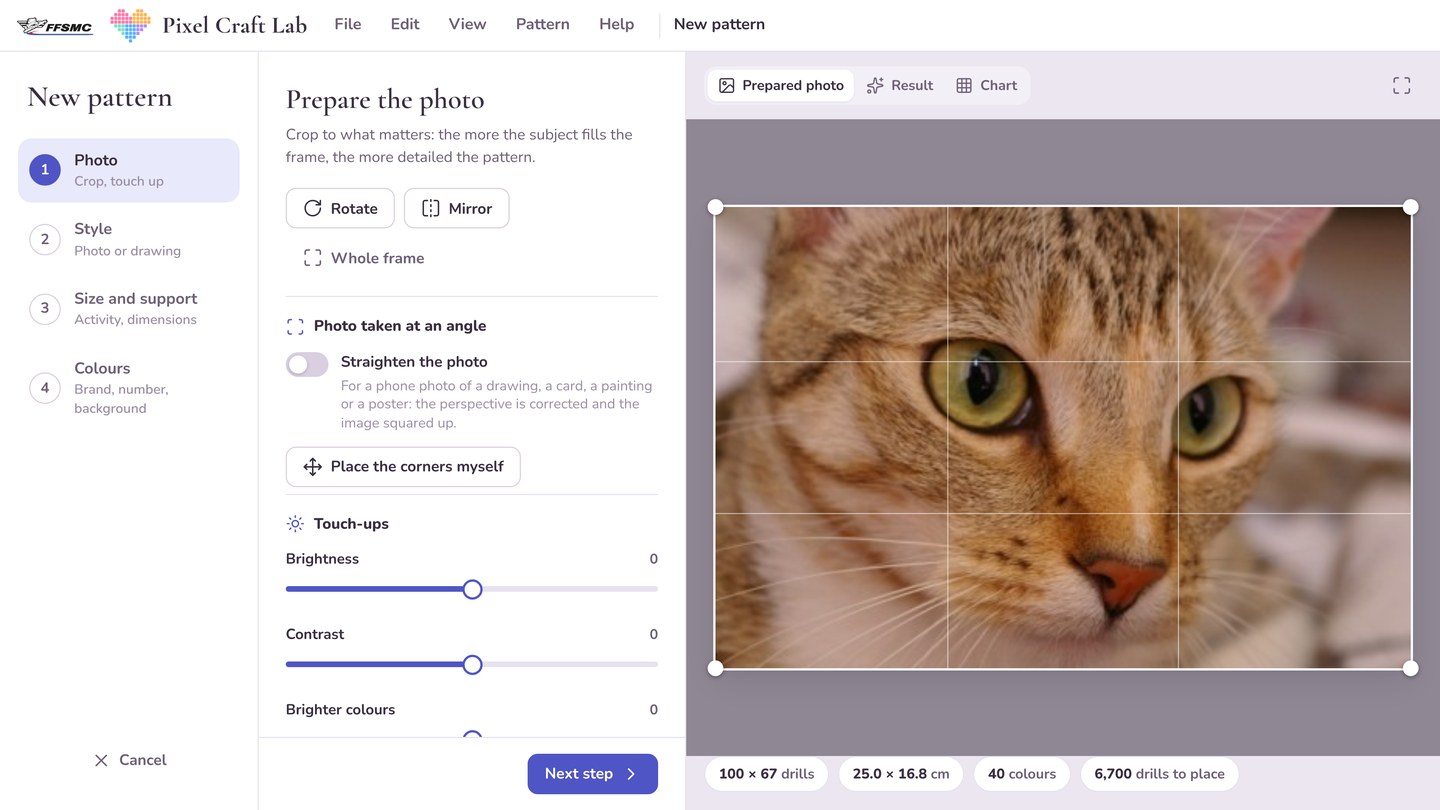
Open a photo, drag it into the window or paste it. A four-step wizard takes you through it: crop, pick a style, set the size, then the brand and number of colours. At every step the preview shows what you are going to get.
A photo of a drawing or painting taken at an angle is straightened automatically, and the subject can be cut out to remove a cluttered background.
In every edition

The real colours
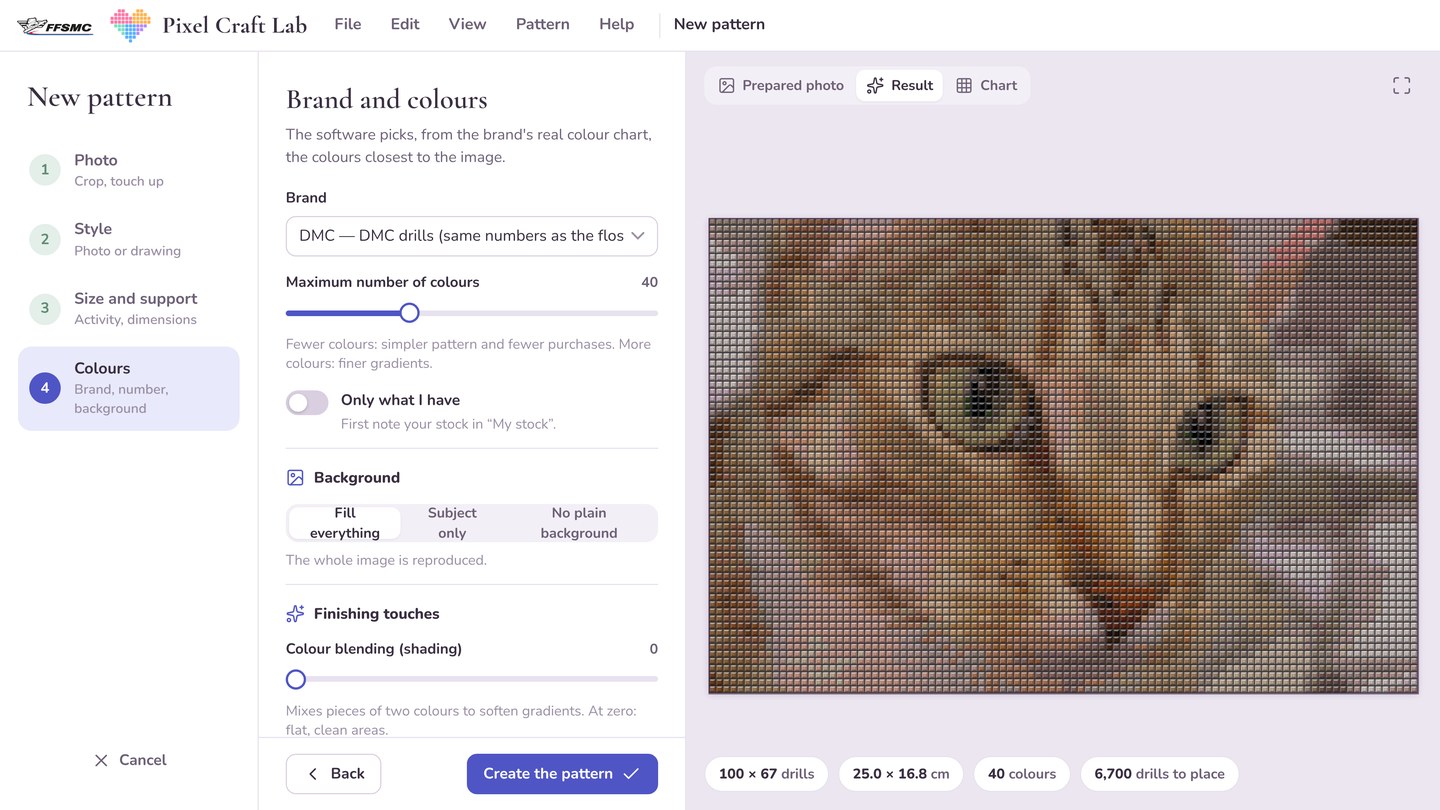
The colours aren't invented: they come from the real colour charts. DMC and Diamond Dotz for diamond painting; Hama, Perler, Artkal, Nabbi and others for fuse beads, in mini, midi and maxi; glass tiles for mosaic; common yarns for knitting; LEGO® for bricks.
The numbers are the ones printed on the bags in the shop. You can keep only the colours you already have in stock.
In every edition

Touch it up by hand
The pattern opens in an editor: pencil, eraser, paint bucket, eyedropper, shapes, text, selection, replacing one colour with another. Fix an eye, add a name, simplify a background.
Zoom goes from an overview to a single piece, with graduated rulers and a grid marked every five rows so you never lose your place.
In every edition
Five crafts, one program
The same wizard prepares five crafts. Diamond painting with round or square diamonds, fuse beads with pegboards and sizes, glass-tile mosaic with grout colour, colourwork knitting, brick mosaic.
The realistic preview shows the result as if it were already made: sparkling diamonds, round beads, bricks with studs.
In every edition

Colourwork knitting, done properly
Enter your gauge, stitches and rows per 10 cm: the pattern is worked out at the right size. The software flags rows with more than two colours and floats that are too long, the two things that spoil colourwork.
The PDF can spell out every row in words, so you can knit without deciphering symbols.
In every edition

For brick fans
Pick the baseplate size and the software translates the photo into bricks in the real LEGO® colours. The parts list exports to BrickLink so you can order them.
It adjusts like the other crafts: number of colours, style, touch-ups by hand.
In every edition

No nasty surprises
Pieces needed, a small reserve for losses, what you already own, and what is left to buy rounded up to the bag or ball. Enter the price of a bag and the total cost appears. Your stock is kept up to date in the software.
The list exports as a spreadsheet (CSV) and prints with the pattern.
In every edition

Give it character
Comic, manga, watercolour, pop art, stained glass, charcoal, Roman mosaic… The style transforms the photo before it is cut into pieces: a portrait becomes an illustration, a landscape a watercolour. Ideal for bold colours with few different pieces.
The style can be compared with the original photo, so you can decide before running the calculation.
Complete and Studio editions

Family photos
A yellowed, scratched or black-and-white photo of a grandmother becomes a lovely pattern: the software restores it, reduces scratches and can colourise it before turning it into pieces.
A family memory becomes a picture you can make yourself or give as a present.
Complete and Studio editions
Ready to print
The PDF has a cover, the colour key, the page map, the pattern cut into readable pages (black symbols or colours) and a shopping list to tick.
It prints at home, in A4 or Letter. A 30-page illustrated manual in seven languages comes with the software.
In every edition
Even if you've never done this
Guided tour at first launch, help bubbles, ready-to-open examples and an illustrated manual that takes the user by the hand. The software comes in seven languages: French, English, German, Spanish, Italian, Polish and Portuguese.
It works without the Internet, apart from activating the licence.
In every edition
Screenshots of the software as you will install it, version 1.0.1. Click to enlarge.
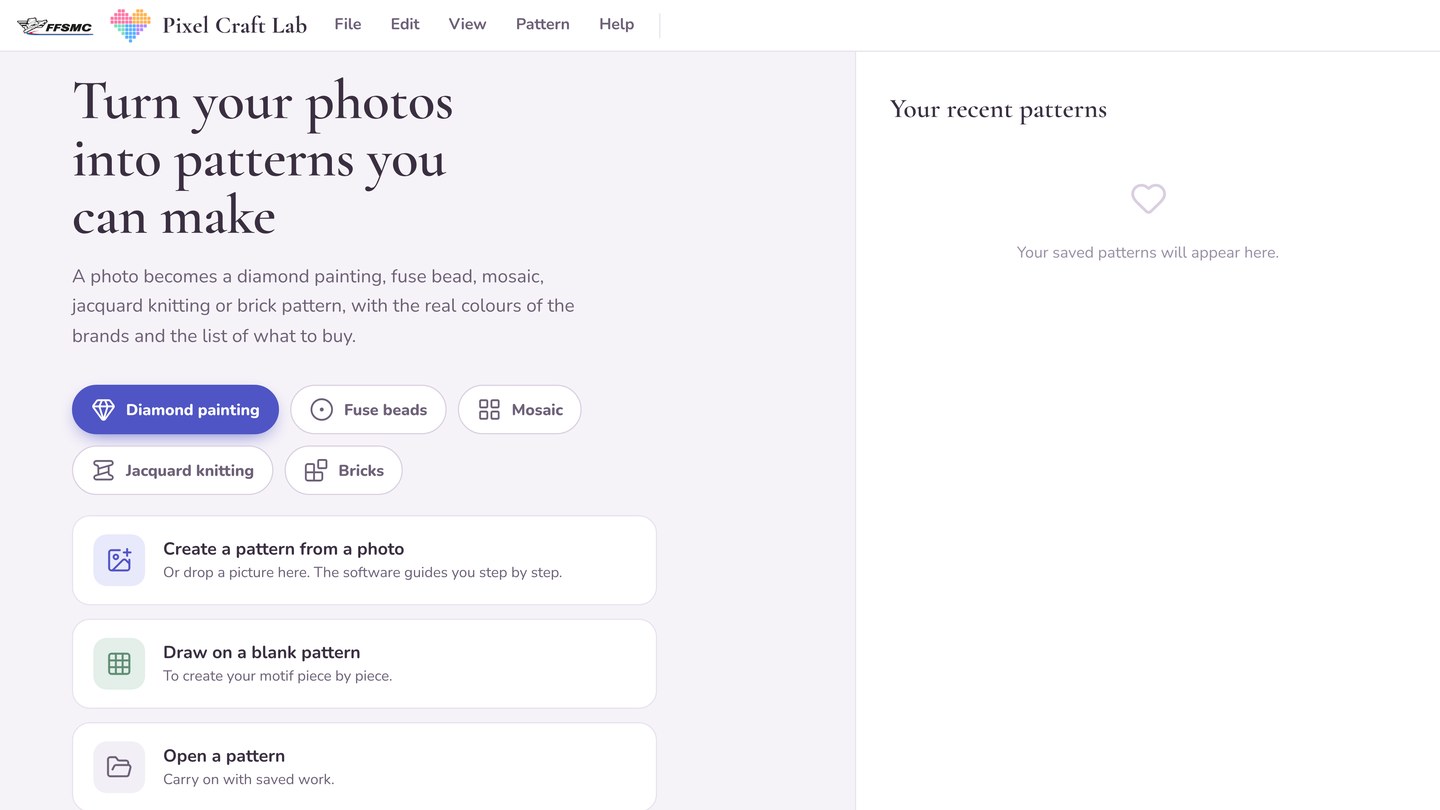
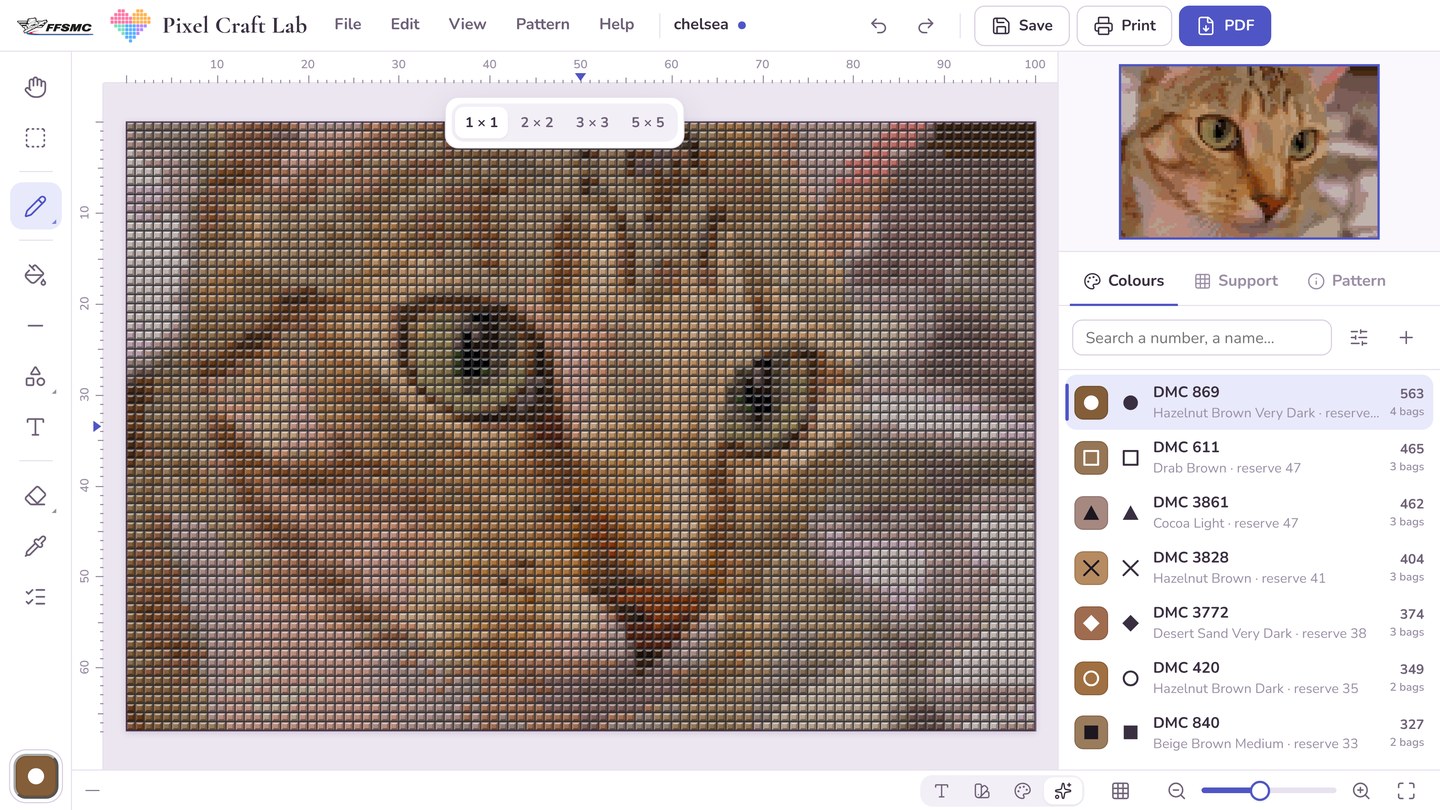
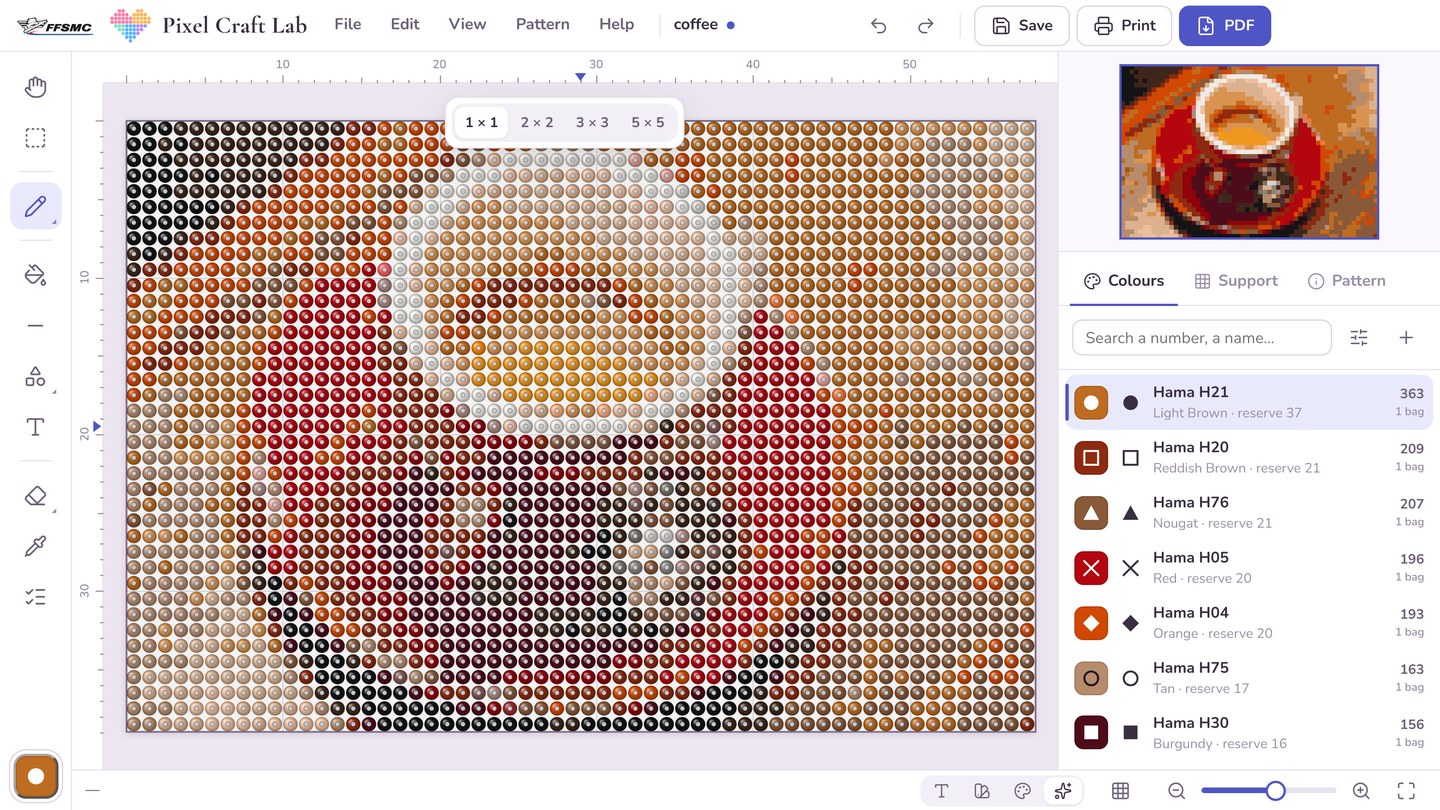
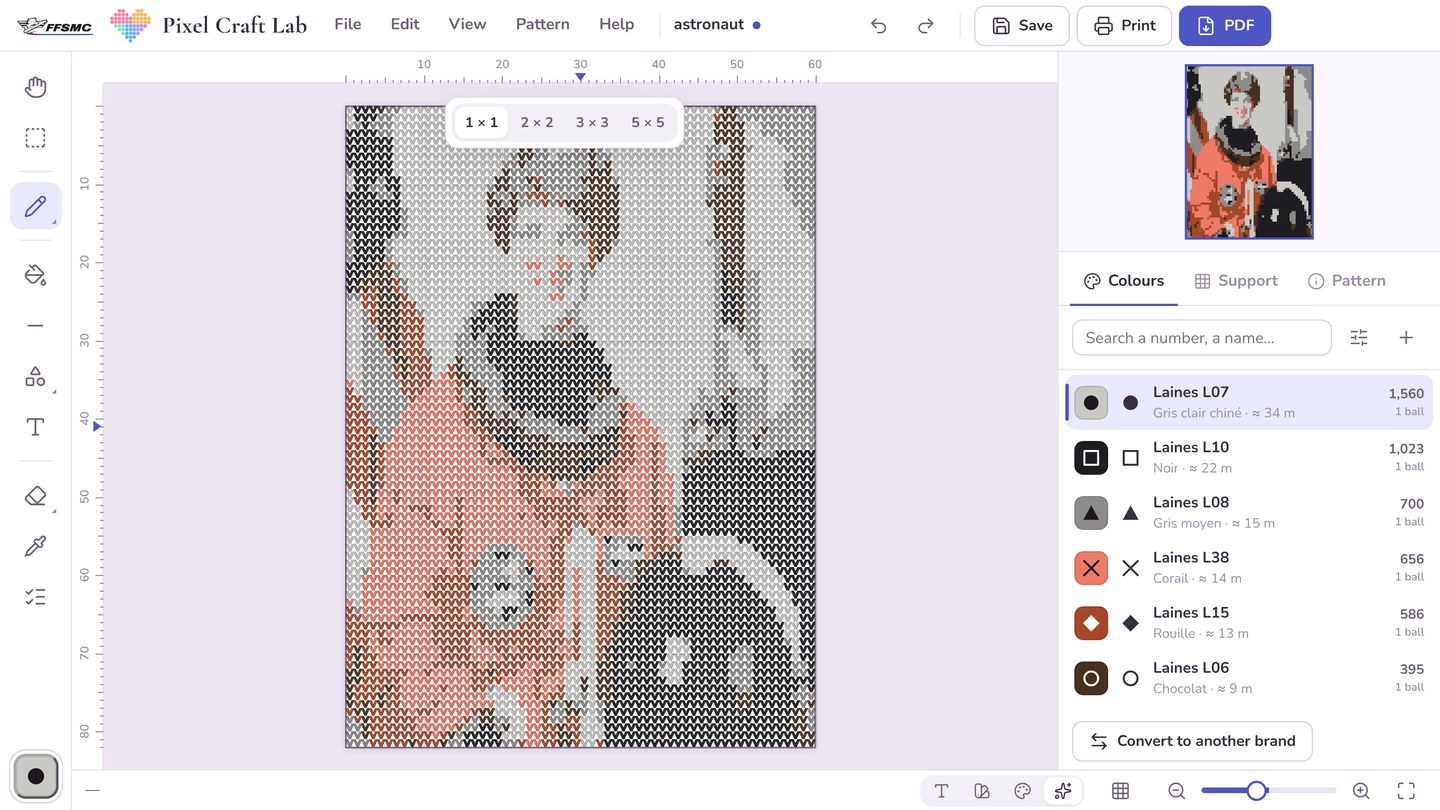
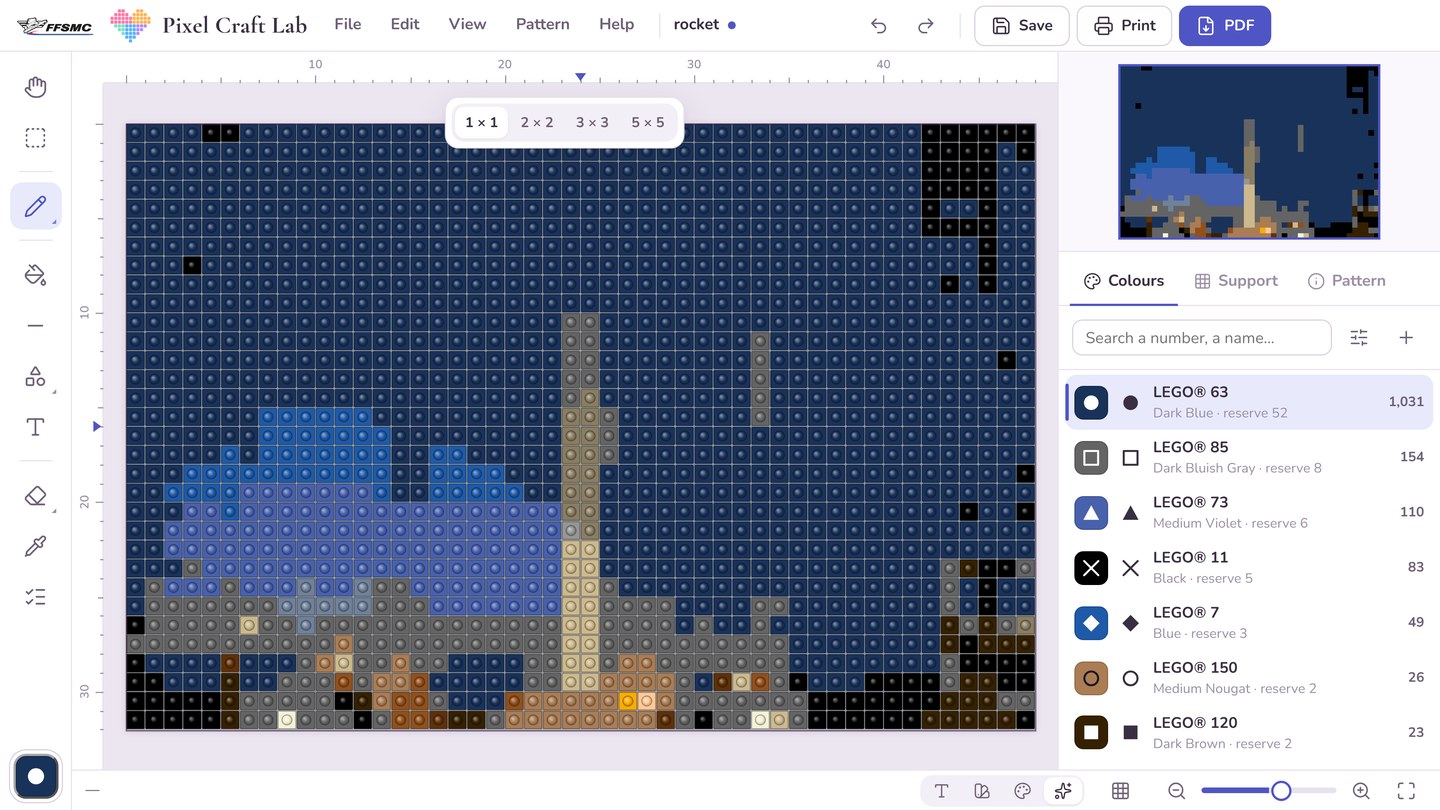
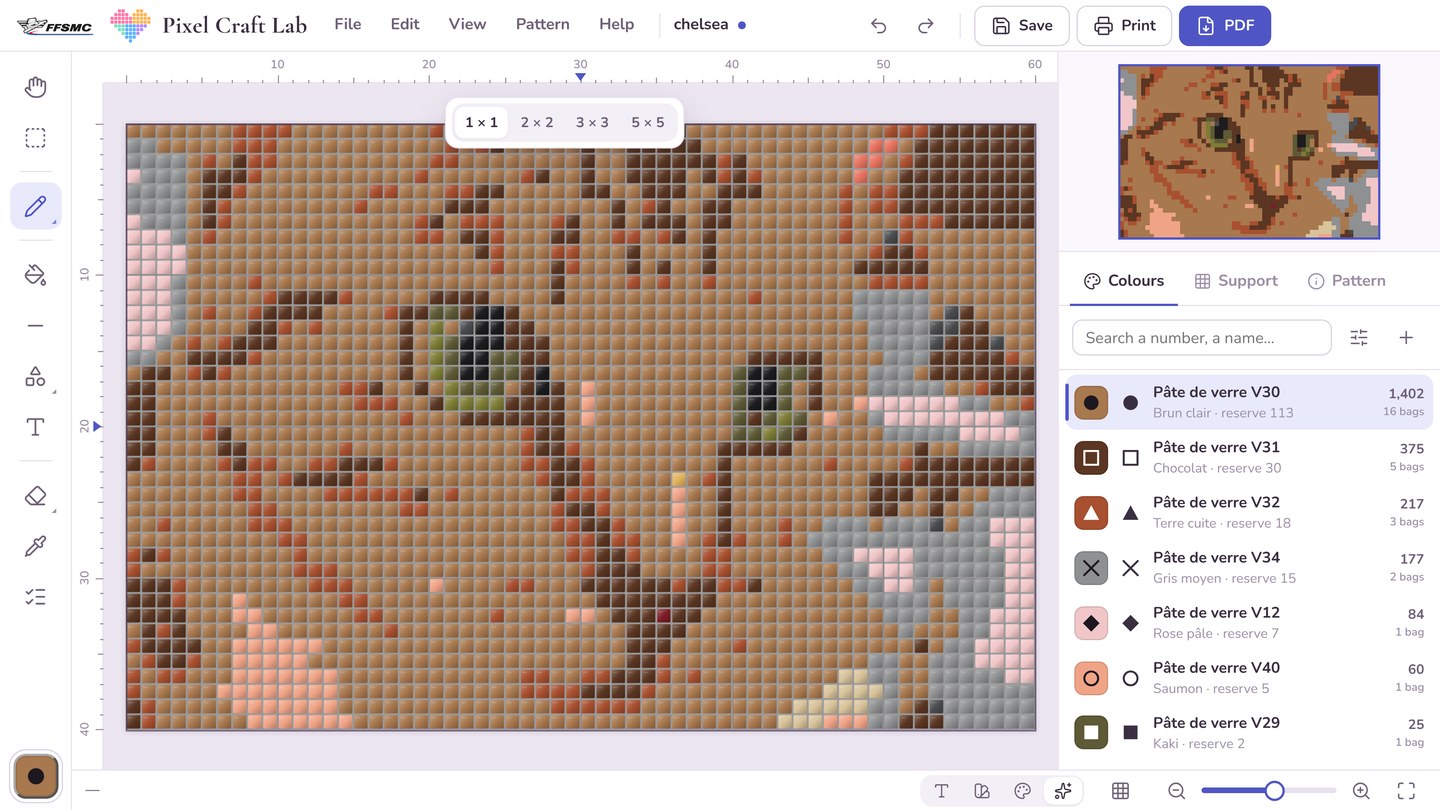
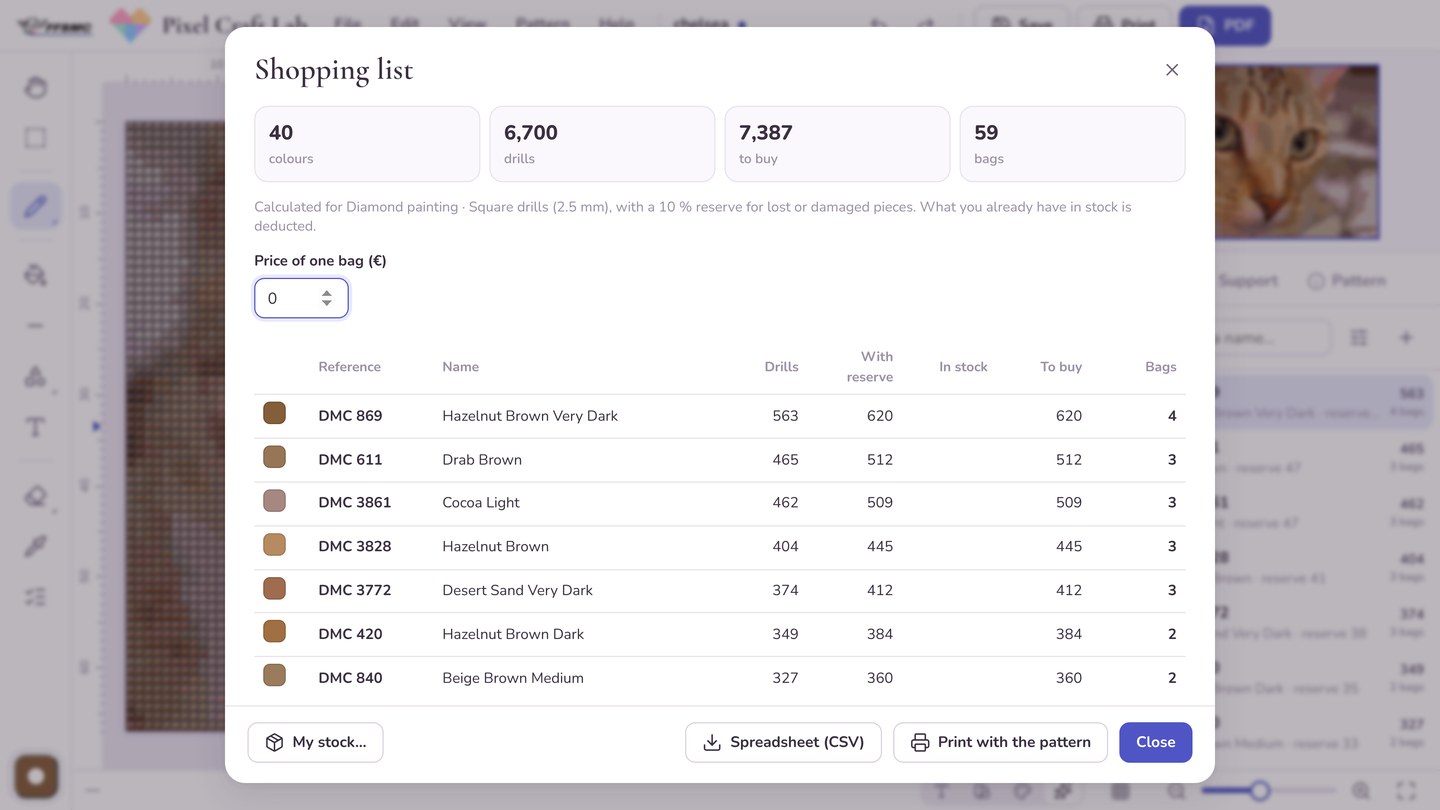
Software that handles your family photos shouldn't send anything elsewhere. Pixel Craft Lab keeps everything on your computer.
Photos, patterns and stock are saved at home, not on an outside server. No connection is needed to work, apart from activating the licence.
Patterns export as PDF and image, lists as CSV: open them wherever you like, even without Pixel Craft Lab.
Every number matches a real reference from the brand: you can check it on the bag before you buy.
The patterns you make are yours, for your own use or as presents, with no restriction.
Each edition contains everything in the previous one. The licence is bought once; updates are included for one year.
The five crafts and the real colour charts.
€79.00 lifetime licence, 1 computer
To get started: turn your photos into faithful patterns, with shopping list and PDF.
Recommended
Artistic styles and old photos.
€149.00 lifetime licence, 1 computer
The edition we recommend: character, and your family photos.
The Complete edition, on three computers.
€199.00 lifetime licence, 3 computers
For home and studio, or for a club: Windows or Mac, three machines.
The licence covers the number of computers of the edition you choose, Windows or Mac. To change computer, first deactivate the old one in Help › Licence…. After a year nothing stops: the licence is for life. Only the updates included in the purchase come to an end. To move up to a higher edition later, you only pay the difference.
| Feature | Essential | Complete | Studio |
|---|---|---|---|
| Five crafts: diamond painting, beads, mosaic, colourwork knitting, bricks | |||
| 4-step wizard and realistic preview | |||
| Real brand colour charts | |||
| Straightening of angled photos, cut-out | |||
| Full editor, shopping list, budget and stock | |||
| Print-ready PDF, row-by-row instructions | |||
| Illustrated manual in 7 languages | |||
| 18 artistic styles | — | ||
| Restoration of old photos | — | ||
| Colourising black-and-white photos | — | ||
| Three computers (Windows or Mac) | — | — | |
| Edition | €79.00 | €149.00 | €199.00 |
Download the installer and double-click it: Pixel Craft Lab runs for 7 days with every feature. When Windows asks for your permission, check that the publisher shown is “Christophe Queyroi”, then click “Yes”. On first launch, Windows may show “Windows protected your PC”: click “More info”, then “Run anyway”. On Mac, open the .dmg file, then drag the app into your Applications folder.
Taken from the manual, these moves save time from the very first pattern.
A face or a subject that fills the frame always gives a better pattern than a distant landscape.
Where Step 1, Photo
30 to 40 colours are almost always enough: the pattern stays readable and the shopping list reasonable.
Where Step 4, Colours
The realistic preview shows the diamonds or beads in place: that's where you see if you'll like the result.
Where Step 4, preview
Enter what you already have: the shopping list shrinks to what is really missing.
Where Pattern › Stock
Knit a 10 cm square and count stitches and rows: the pattern will be the right size.
Where Step 3, Size and support
A test page checks that the symbols are readable before printing the whole pattern.
Where Print › PDF
The software can't do better than what it is given. A few habits save a lot of disappointment.
Good contrast and a sharp subject give a much more readable pattern than a blurry photo.
Look at the dimensions in centimetres before confirming: a pattern that's too big takes weeks.
Losses are common, especially with beads: the 10% reserve saves another trip to the shop.
Shades vary from one brand to another: order everything from the one chosen in the software.
A saved pattern can be reopened and touched up later, without starting over.
What people ask before buying, and what they look for once the software is installed. Type a word or pick a topic.
To turn a photo into a pattern you can make: diamond painting, fuse beads, mosaic, colourwork knitting or bricks. The software picks the real brand colours, draws the pattern and works out what to buy.
Yes. Download the installer on this page: Pixel Craft Lab runs for 7 days with every feature, at no cost.
The licence is bought once, with no subscription: €79 for Essential, €149 for Complete, €199 for Studio (Complete on 3 computers). Updates are included for one year.
Yes, on Windows 10 and 11 and on Mac (Intel and Apple silicon). The same licence works on both systems.
DMC and Diamond Dotz for diamond painting; Hama, Perler, Artkal, Nabbi and others for fuse beads; glass tiles for mosaic; common yarns for knitting; LEGO® for bricks.
Yes, they are the real references of each brand, the ones printed on the bags in the shop.
You set the number of colours yourself. The fewer there are, the simpler the pattern is to make; the more there are, the closer to the photo.
Yes: a photo of a drawing or painting taken at an angle is straightened automatically.
Pieces needed plus a 10% reserve for losses, minus what you already have in stock, rounded up to the bag or ball. With the price of a bag, the total budget appears.
A cover, the colour key, the page map, the pattern on readable pages and a shopping list to tick. For knitting, every row can be spelled out in words.
The parts list exports to BrickLink, which sells bricks individually.
Only to activate the licence and, from time to time, to check it. Everything else works offline.
First deactivate the old one in Help › Licence…, then activate the key on the new one.
Click “More info” then “Run anyway”. The program is signed in the name of Christophe Queyroi.
Open the .dmg file, then drag Pixel Craft Lab into the Applications folder. The software is signed and validated by Apple.
No question matches. Write to us at [email protected]: the answer will help the next person too.
Christophe Queyroi developed Pixel Craft Lab so that going from photo to pattern takes minutes instead of an afternoon of sums. FFSMC is a very small French company: support answers quickly, in French or English, at [email protected].
Seven days, every feature open, to create a first pattern and see the shopping list.
Try it free