A sluggish File Explorer
Opening a folder, copying, deleting: Windows 11 File Explorer often freezes, does not show folder sizes and offers only one pane to copy from one folder to another.
Software for Windows and Mac · developed by FFSMC
Photos, RAW, Photoshop files, vector drawings, 3D parts, videos, PDFs: Optivia Lab opens it all, straight away. It sorts, edits and processes your photos by the hundred, manages your files in panes like Total Commander, and can take the place of File Explorer, Photos and Notepad in Windows.
One fast program, with no account and no ads, instead of five apps that get heavier with every update.
During the trial every feature is unlocked. After that, a lifetime licence from €29 (Essential Edition). · From €29.00 lifetime licence, 1 computer

Opening a folder, copying, deleting: Windows 11 File Explorer often freezes, does not show folder sizes and offers only one pane to copy from one folder to another.
A Photoshop file, a vector drawing, a 3D part, an iPhone HEIC photo: Photos refuses, or asks for a paid extension.
Microsoft accounts, OneDrive pushed forward, AI added to Notepad, WordPad and 3D Viewer removed: every update takes something away or adds something nobody asked for.
A single window to view, organize, edit and manage all your files. Every button has its tooltip, and an illustrated user guide is built in (F1 key).
Everything opens
Double-click a file and it appears. Optivia Lab reads camera photos and RAW files, iPhone HEIC photos, Photoshop, Paint Shop Pro, Krita and GIMP files, vector drawings (AI, EPS, SVG, PDF, CDR), 3D parts, videos, music, PDFs and Word or Excel documents.
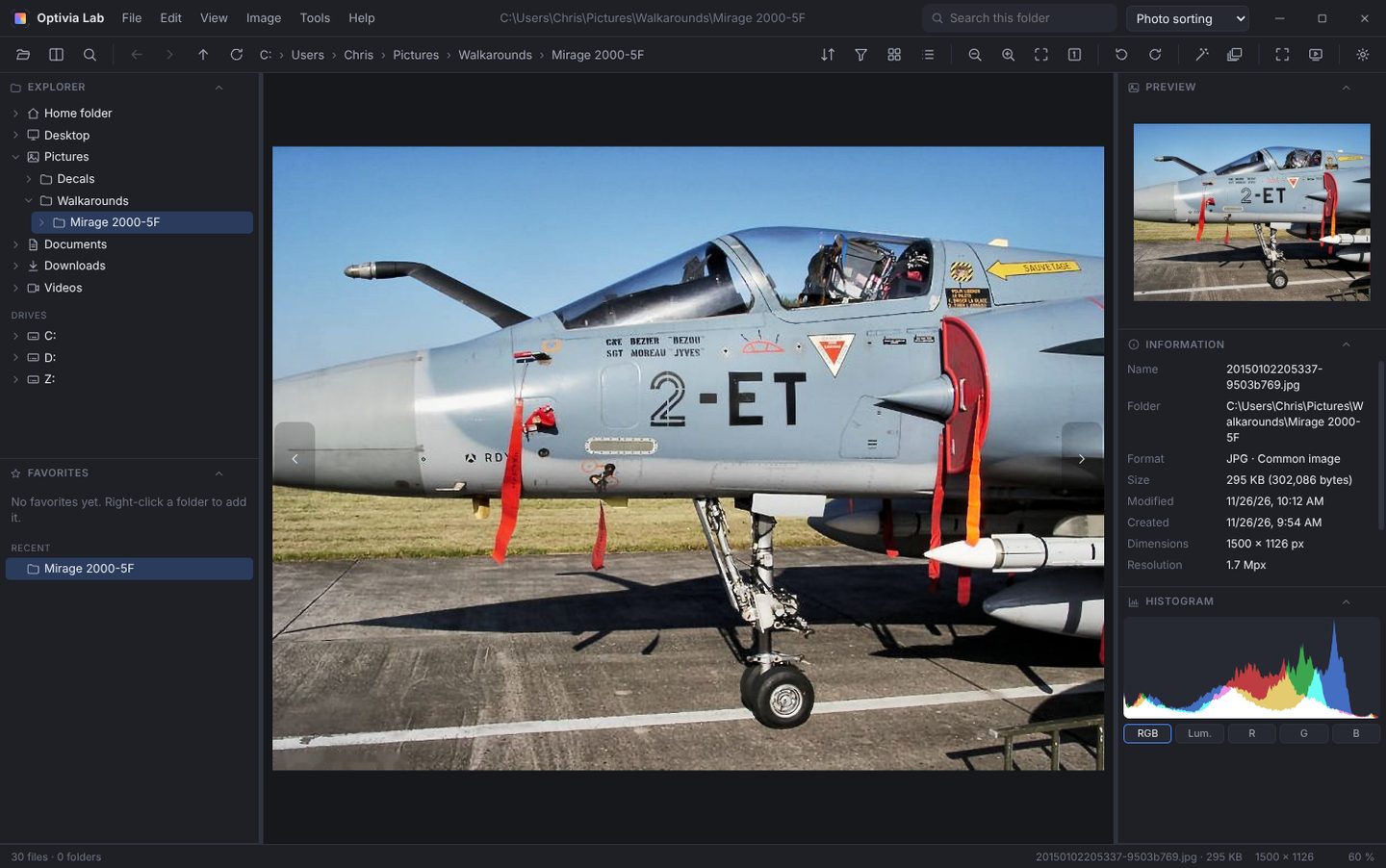
A folder holding thousands of photos opens in an instant. Vector drawings stay sharp at any zoom, and the arrow keys move from one picture to the next without waiting.
In every edition

Instead of Windows
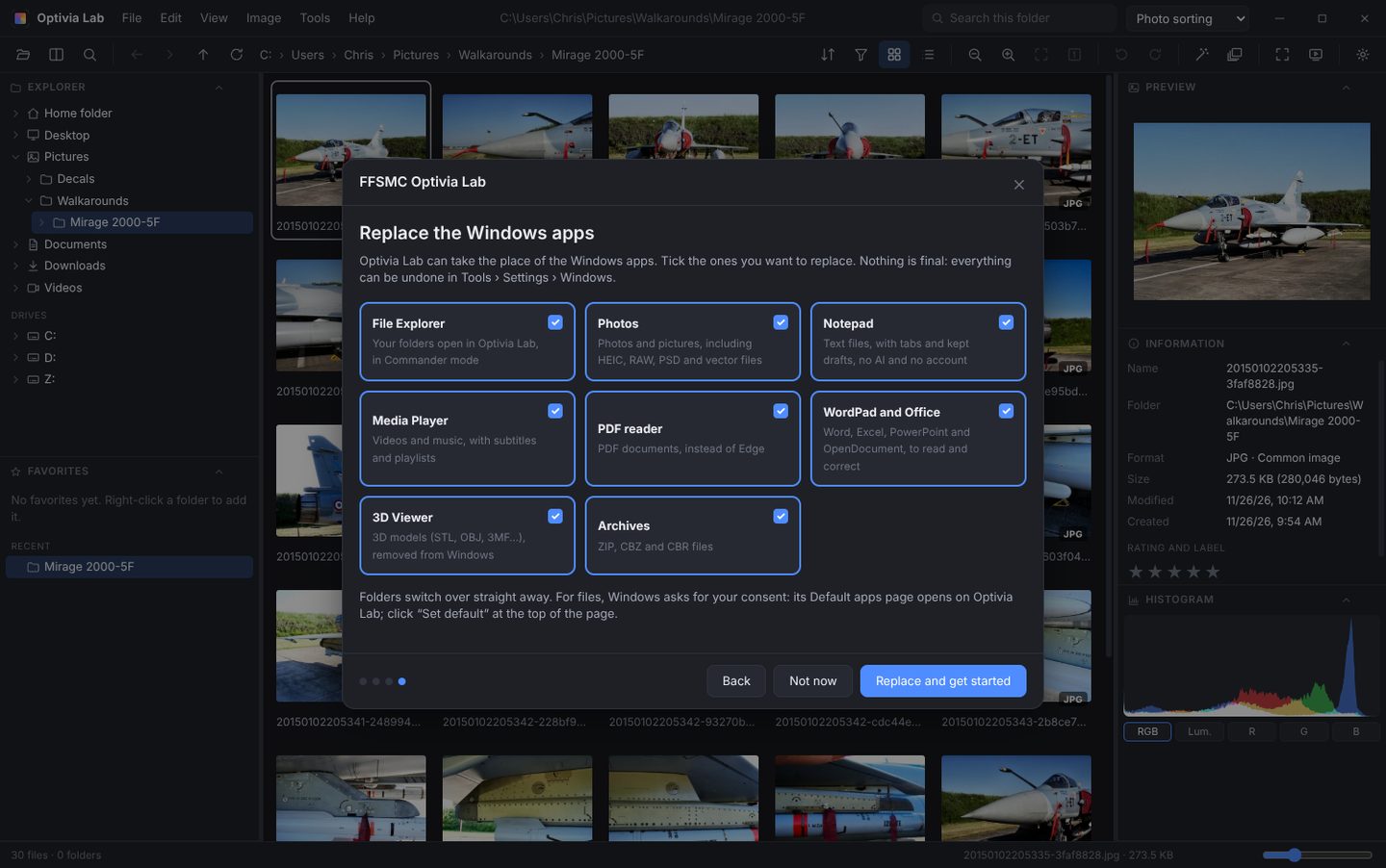
On first start, Optivia Lab offers to take the place of the Windows apps. You tick the ones you want to replace: File Explorer, Photos, Notepad, the media player, the PDF reader, WordPad, 3D Viewer, opening archives.
Once File Explorer is replaced, double-clicking a folder, the Windows+E key and the taskbar icon open Optivia Lab. Everything can be undone with one click in the settings.
In every edition (Windows)

Managing files
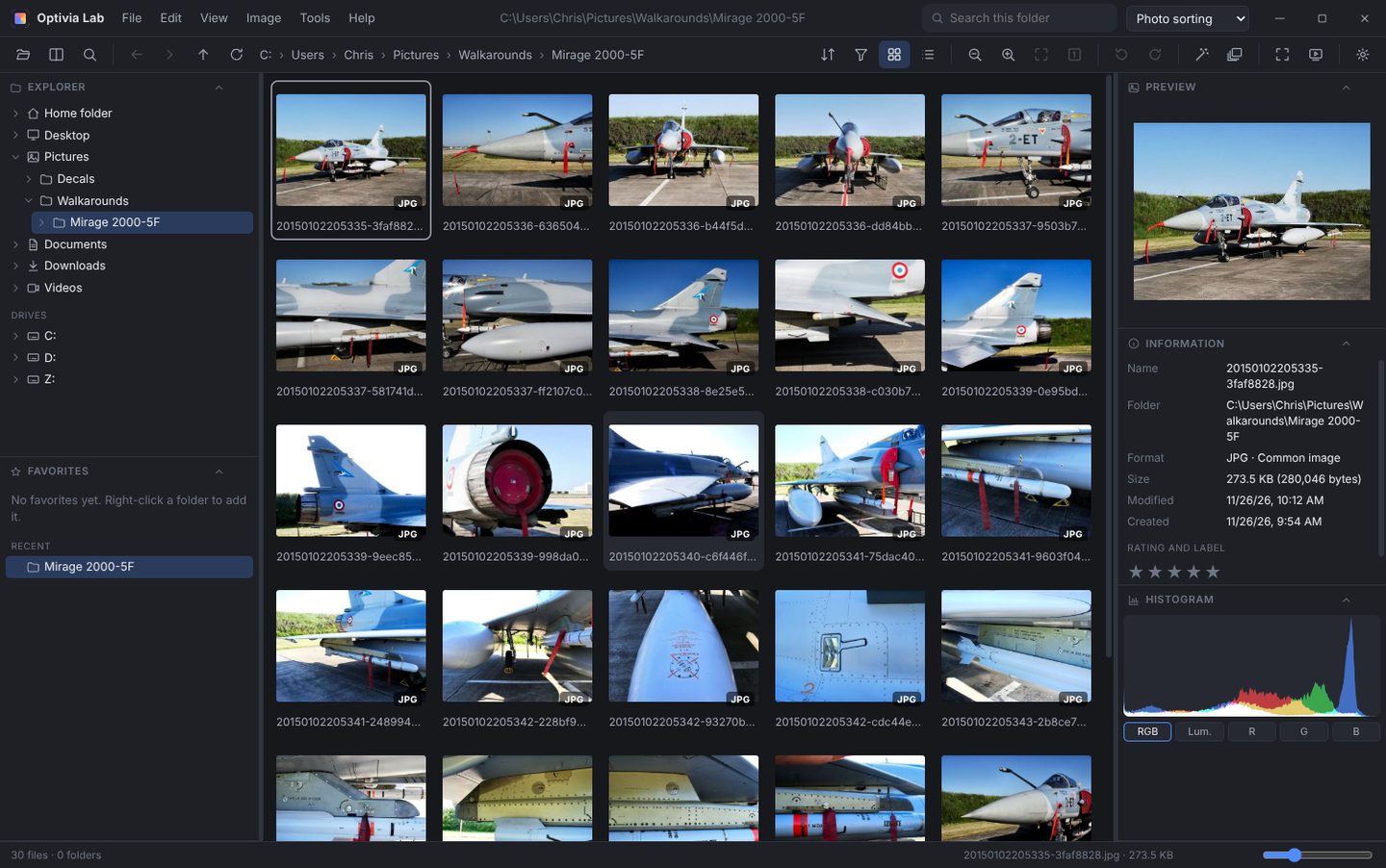
The file manager shows your folders side by side, like Total Commander. Copy and move from one pane to the other from the keyboard (F5, F6), rename in place, open ZIP, 7z and RAR archives like folders, reach your NAS or an FTP server.
Made a mistake? Ctrl+Z undoes it: the copy goes away, the moved file comes back, so does the old name, and even a file sent to the Recycle Bin returns to its folder. Copies can be paused, and when a file already exists you choose: replace, skip or keep both.
In every edition

Sort and organize
Rate your photos from the keyboard (Ctrl+1 to Ctrl+5), give them a color, keywords, put them in collections. Optivia Lab groups the photos from the same session by itself, and finds duplicates and near-duplicates, even renamed.
To choose between several shots, side-by-side comparison moves through all the pictures at the same zoom.
In every edition

Find
Type the first letters of a name: matching files appear as you type, on all your drives at once, network included. No more waiting for the File Explorer magnifier.
The file manager can also search inside files, by size or by date.
In every edition

Edit
One click corrects the light and colors of a photo. Cropping, straightening and rotation are in every edition.
The Complete Edition adds fine adjustments (shadows, highlights, colors, sharpness, noise) and the eraser that removes a wire, a stain or a passer-by. The original is always kept aside.
Automatic correction in every edition, fine adjustments in Complete

By the hundred
Resize for an e-mail or a website, rename, convert, add a copyright notice, correct: you build a recipe once, Optivia Lab applies it to a whole folder.
A watched folder can even process every new photo as soon as it arrives.
Complete Edition

3D
Optivia Lab shows STL, OBJ, 3MF, STEP and FreeCAD parts, with their measurements. 3D Viewer is gone from Windows: this one is here, and fast.
The Complete Edition checks and repairs a part before printing, changes its scale, lays it flat and converts it.
Viewing in every edition, tools in Complete

Video
Trim, join, add music, stabilize, then export in the right format for YouTube, Instagram or TikTok. No account to create, nothing sent over the Internet.
Complete Edition

Documents
Optivia Lab's notepad opens several texts in tabs, keeps your drafts and finds or replaces in an instant. PDF, Word, Excel and PowerPoint files can be read and corrected without Office.
The Complete Edition reads the text in a photo or a scanned PDF, in eight languages, offline.
In every edition, text from pictures in Complete

Studio
The Studio Edition enlarges a photo two, three or four times by rebuilding detail instead of stretching it. Ideal for a small scan of an old photo or a picture found in low resolution.
Erasing, balancing and enlarging also work in batches, on hundreds of photos. The processing runs on your computer.
Studio Edition
Screenshots of the software as you will install it, version 2.8.3. Click to enlarge.
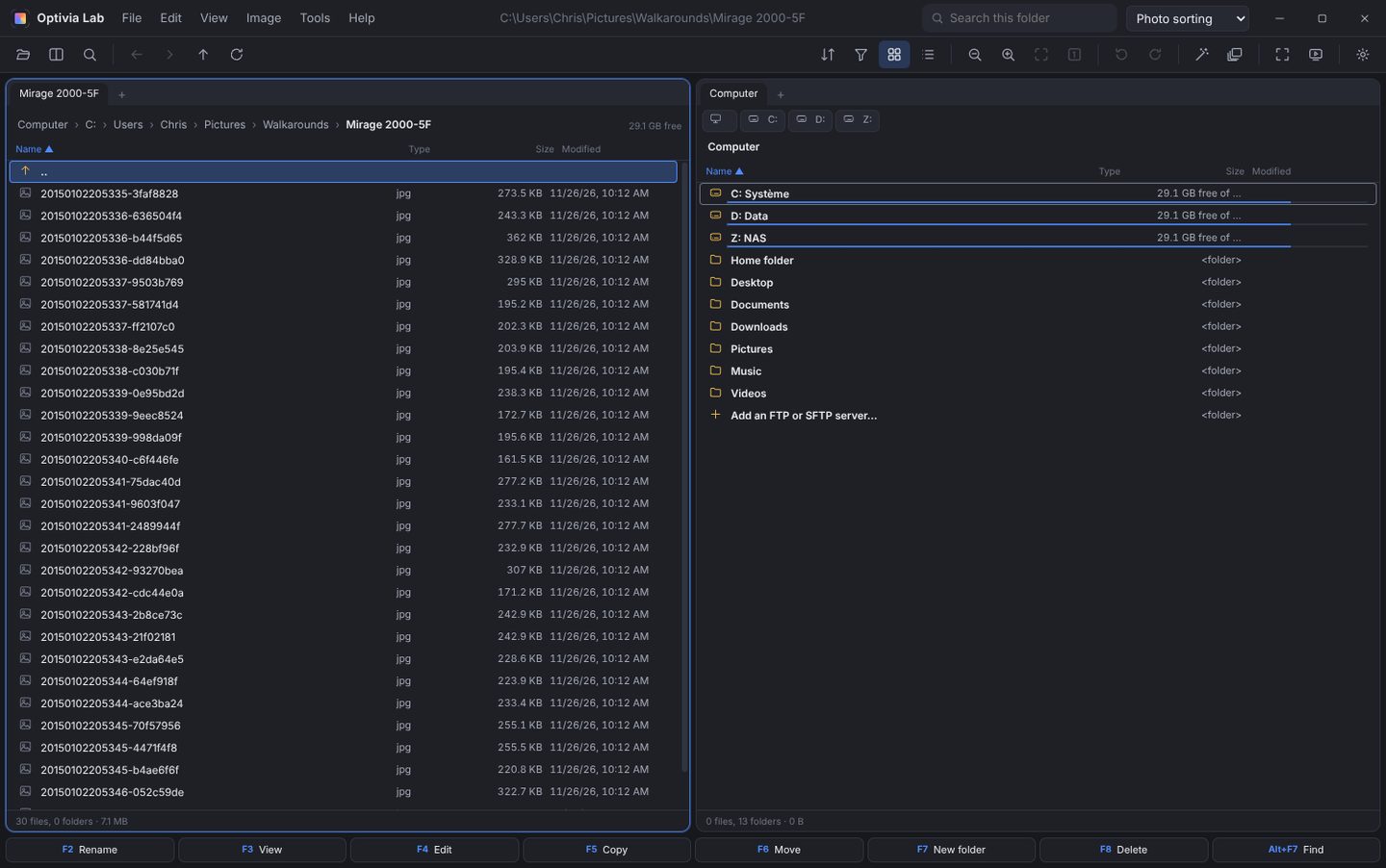
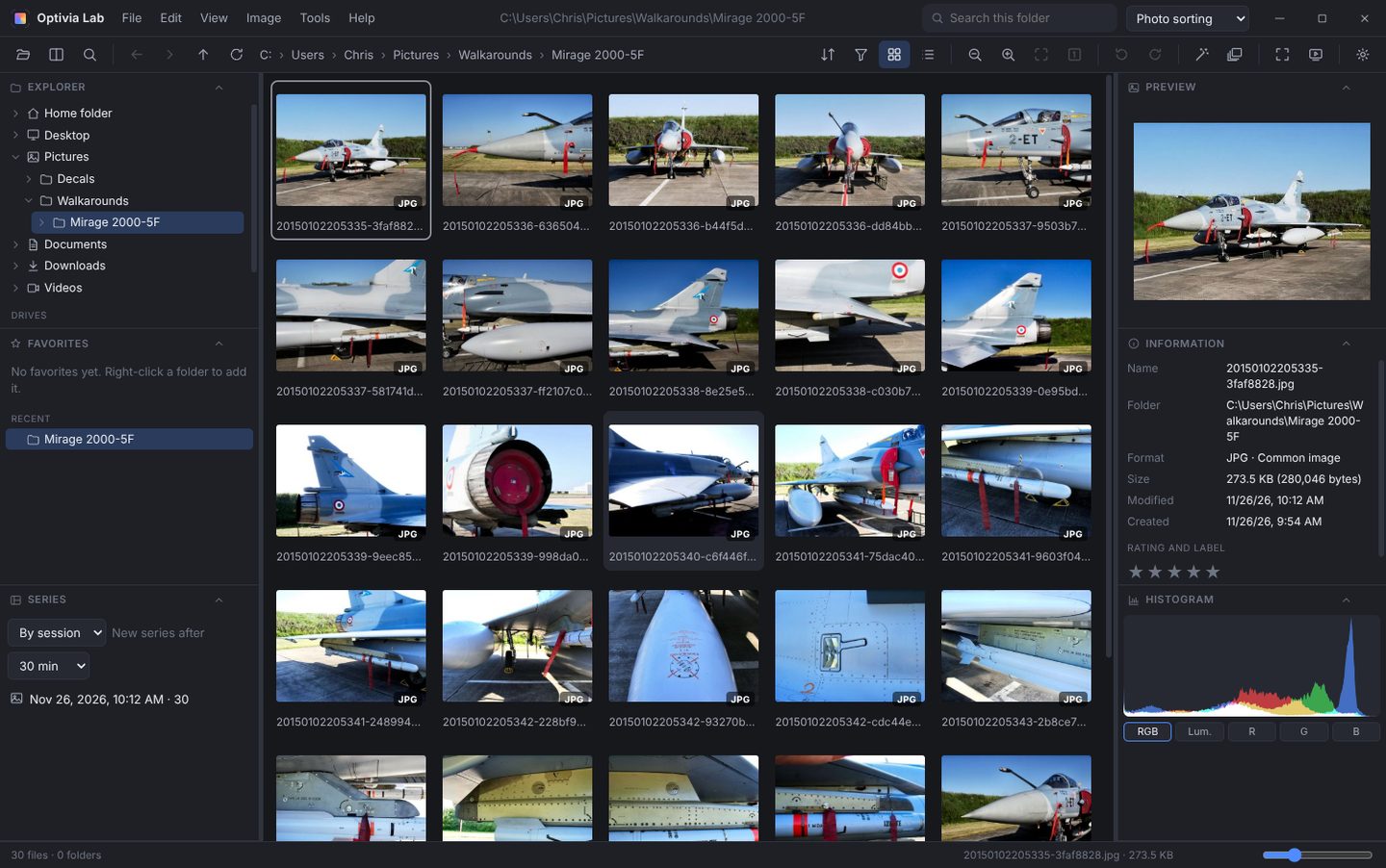
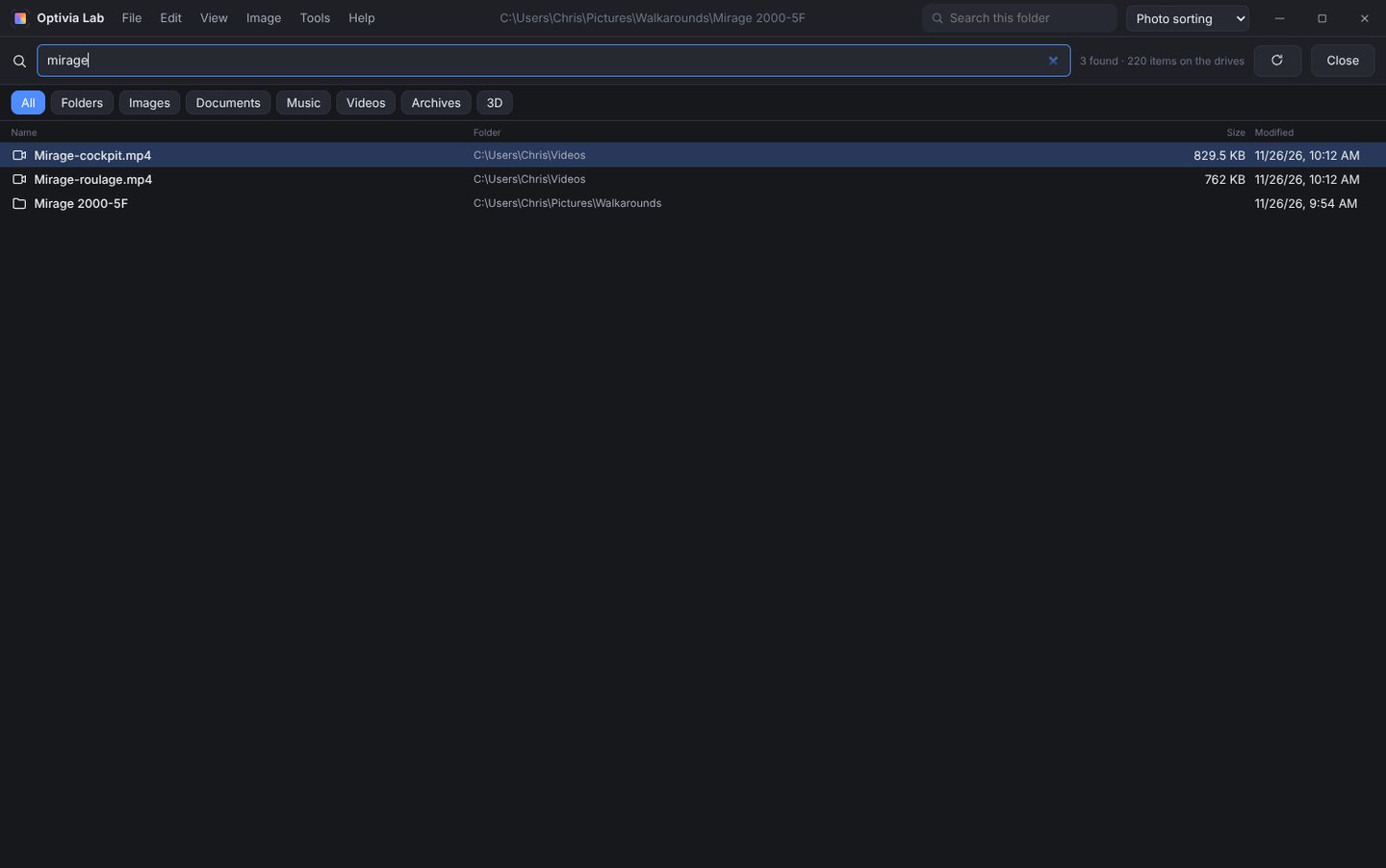
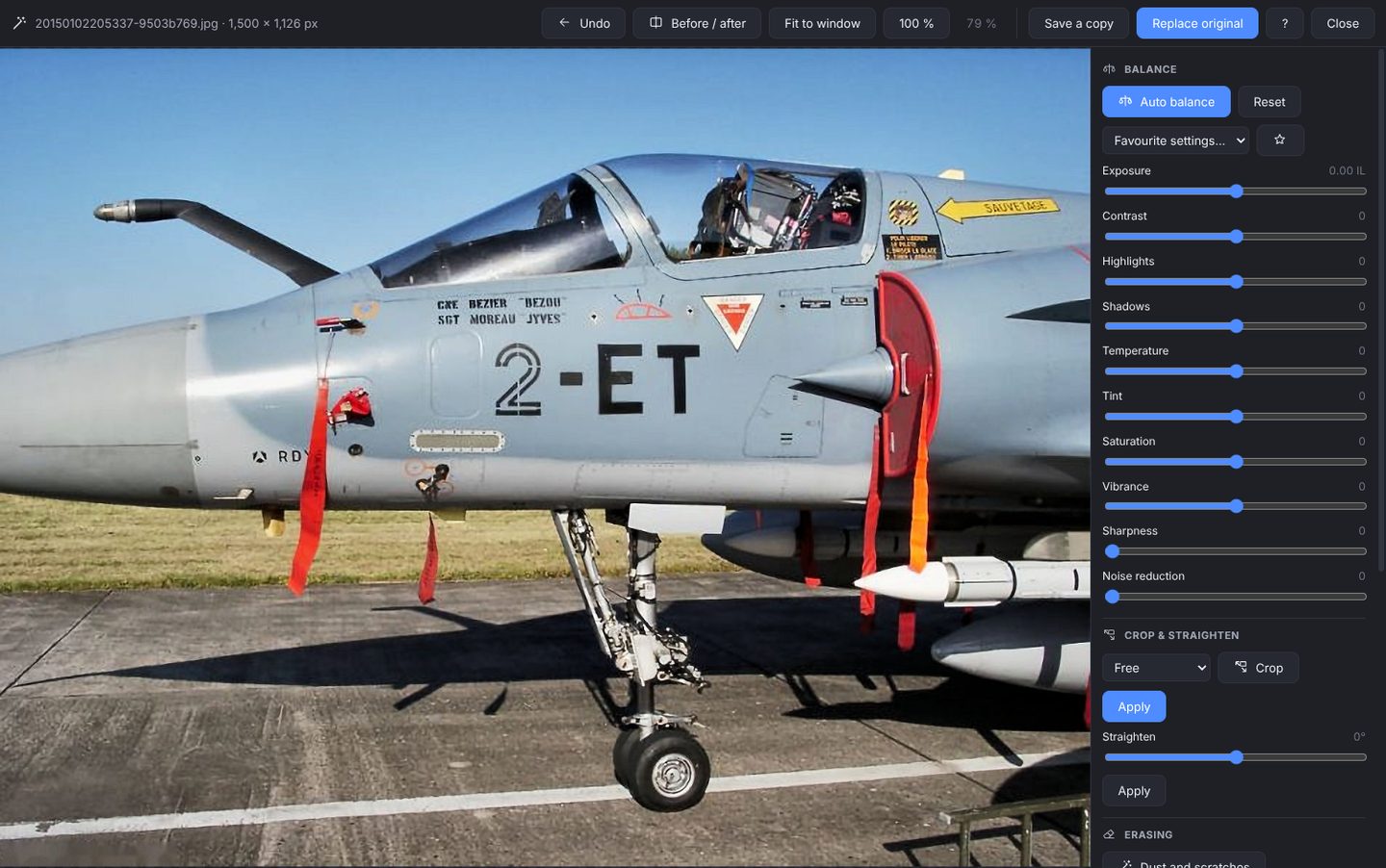
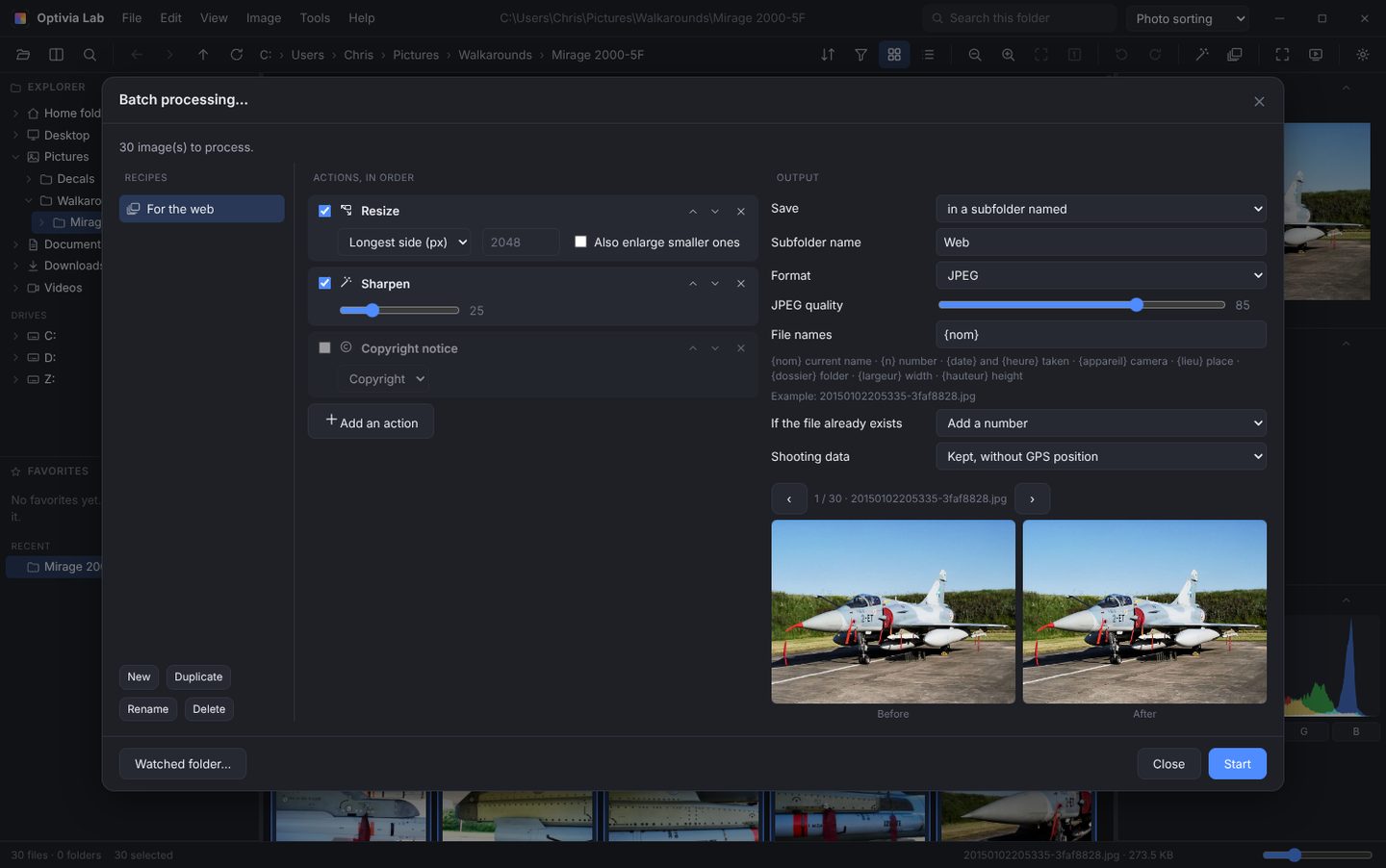
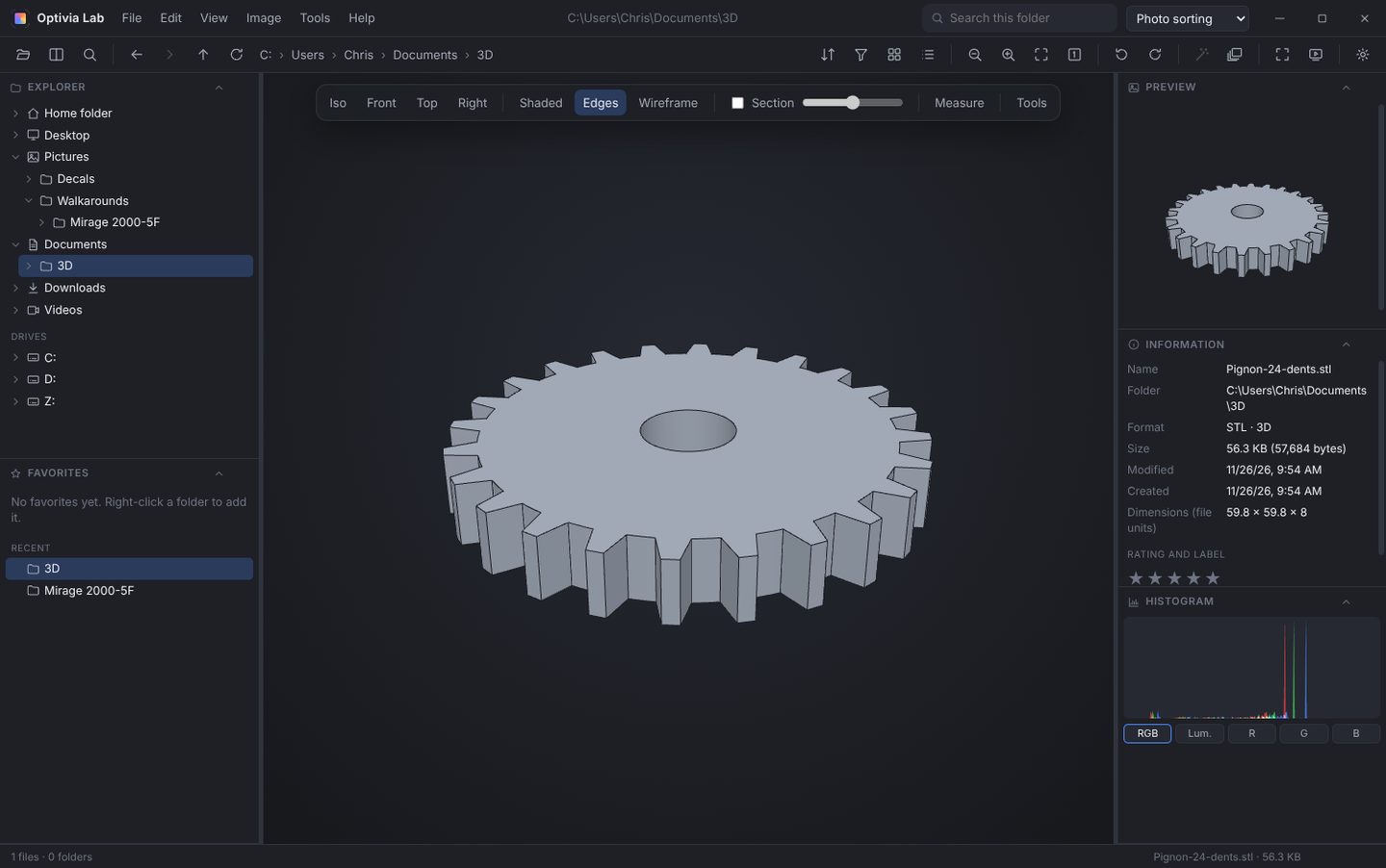
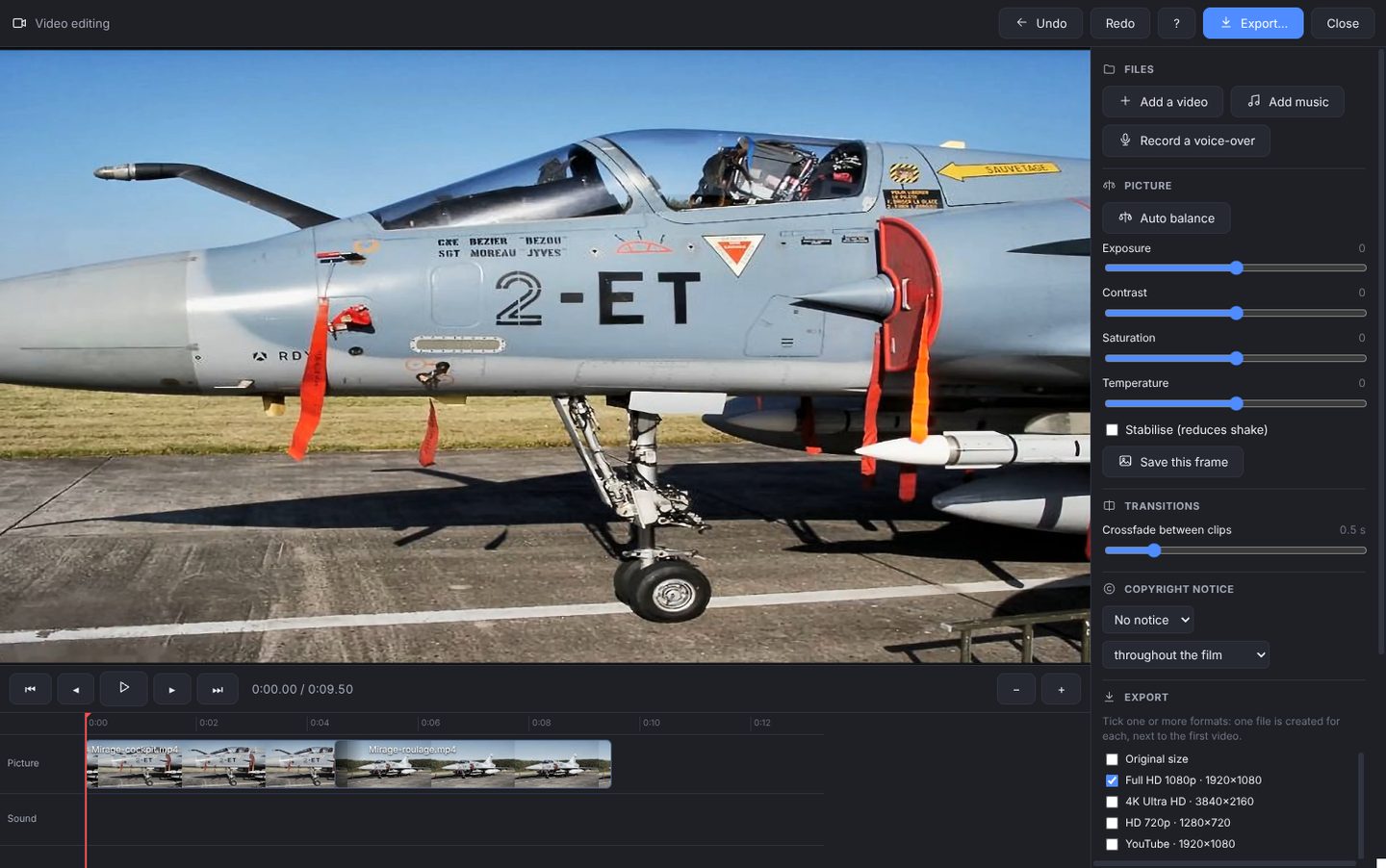
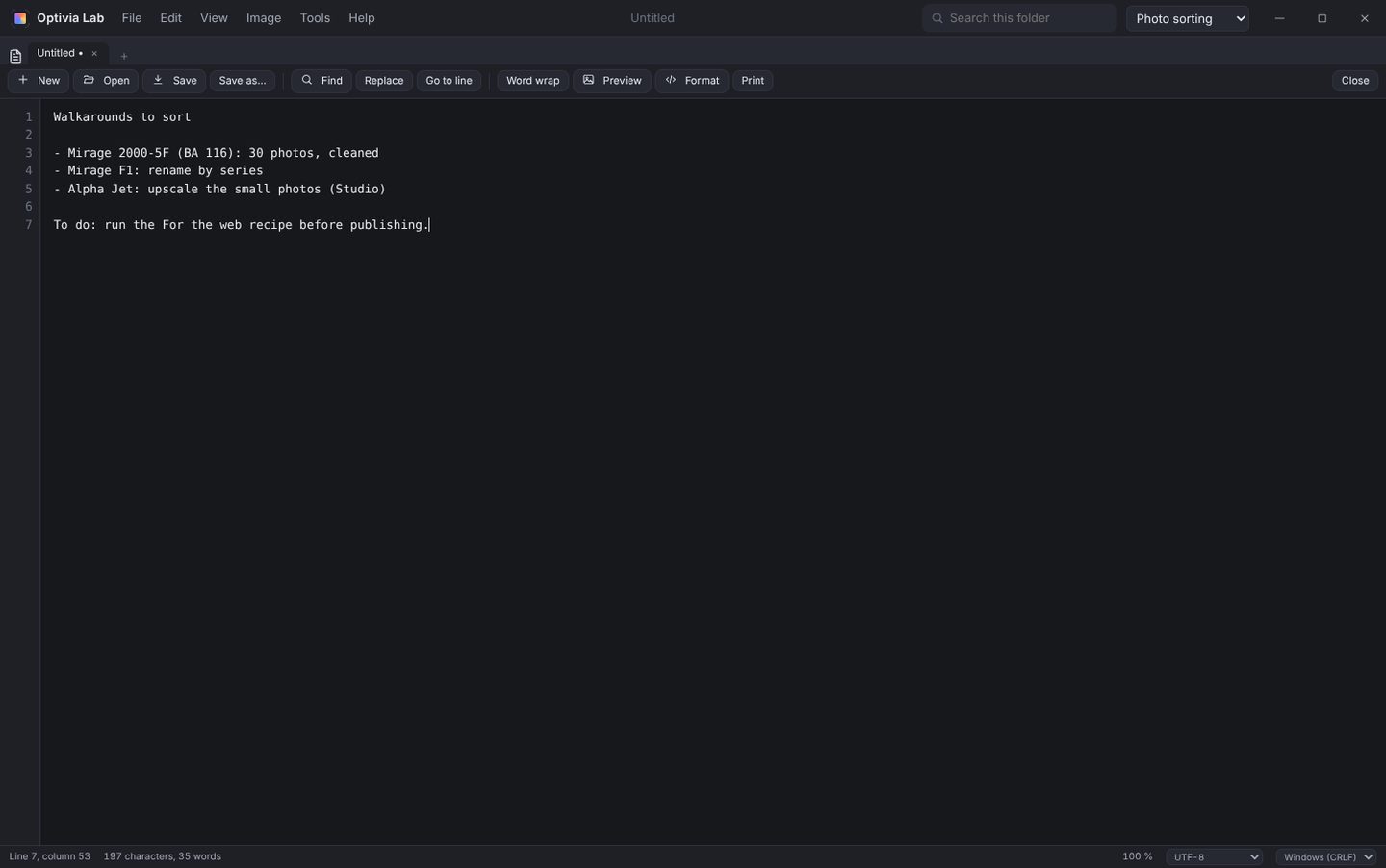
A program that sees all your pictures has nothing to send anywhere.
No picture and no file name is ever sent. Only the licence activation goes over the Internet.
The software is digitally signed by its publisher. No account to create, no ads, no data collection.
An edited photo keeps its original in an “Originals” folder next to it. In the file manager, Ctrl+Z undoes the last operation.
Optivia Lab works directly in your folders: no import, no library to rebuild. Your photos stay where they are.
Each edition contains everything in the one before. The licence is bought once; updates are included for one year.
Already very complete, for €29.
€29.00 lifetime license, 1 computer
To view, organize and find all your pictures and files, and replace the Windows apps.
Recommended
Editing, batches, video and 3D.
€48.30 lifetime license, 1 computer
The edition we recommend: everything to process your photos and files on a large scale.
Complete, plus enlargement and advanced batches, on three computers.
€90.30 lifetime licence, 3 computers
For those who restore or enlarge photos and work on several computers.
The licence covers the number of computers of the edition you choose. To change computer, simply release the licence on the old one. After one year nothing stops: the licence is for life. Only the included updates end, and you are free to renew them.
| Feature | Essential | Complete | Studio |
|---|---|---|---|
| Viewing of every format (photos, RAW, PSD, vector files, 3D, video, PDF, documents) | |||
| Replacement for the Windows apps | |||
| Two-pane file manager, archives, Ctrl+Z | |||
| Ratings, labels, series, duplicates, comparison | |||
| Instant search across every drive | |||
| Automatic correction, cropping, straightening | |||
| Notepad, PDF and Office documents | |||
| Fine adjustments and smart eraser | — | ||
| Batch processing, watched folder | — | ||
| Video editing | — | ||
| 3D tools and conversions | — | ||
| Text from pictures and scanned PDFs | — | ||
| FTP and SFTP servers, 3 or 4 panes, several screens | — | ||
| Folder comparison and synchronization | — | ||
| Enlargement that rebuilds detail | — | — | |
| Batch erasing, balancing and enlarging | — | — | |
| Licence for 3 computers | — | — | |
| Edition | €29.00 | €48.30 | €90.30 |
Optivia Lab is available now, with a 7-day free trial, every feature unlocked. After that, a lifetime licence from €29 (Essential Edition).
Taken from the user guide, these habits save time from day one.
Curious about a button? Keep the mouse still on it for a moment: a tooltip says what it does.
Where Everywhere in the software
Ctrl+1 to Ctrl+5 rate the photo on screen, Ctrl+0 clears the rating. That is how you sort a whole shoot in minutes.
Where Thumbnails and viewer
A copy or a move gone wrong is undone at once, like a typo.
Where File manager
On a thumbnail, a file or a folder, the right-click menu offers everything you can do with it.
Where Everywhere
Build “For the web” once (size, copyright, name) and apply it to every new shoot.
Where Image › Batch processing
The illustrated user guide opens next to the software, at the right place.
Where Help › User guide
A few simple habits save a lot of losses and searching.
Rate and delete the failed shots on the same day: once a thousand more have arrived, nobody does it.
Let Optivia Lab keep the originals next to the edited photos: one day you always go back to them.
Series renaming turns “IMG_4521” into “Holidays 2026 - 001” across a whole folder.
Folder comparison and synchronization check in a minute that your backup is up to date.
What people ask before choosing, and what they look for once the software is installed. Type a word to filter.
To open, organize, edit and manage all your pictures and files in a single program: a viewer that reads every format, a multi-pane file manager, batch processing, simple video editing, 3D. It can also replace File Explorer, Photos and Notepad in Windows.
It costs €29, with a lifetime licence. As soon as you have paid on ffsmc.fr, your licence key arrives by e-mail. During the 7-day trial every feature is unlocked.
Yes: it opens the same formats and many more (vector files, 3D, Photoshop and Paint Shop Pro files), with sorting, batches and a real file manager on top.
Only to activate the licence, then now and again to check it. Everything else works offline, and no picture is ever sent.
On first start, or with File › Replace the Windows apps…, leave the File Explorer box ticked and confirm. Folders, Windows+E and the taskbar icon then open Optivia Lab.
Windows forbids any program from making itself the default app for photos or text. Optivia Lab opens the right Windows page; one click is enough.
Yes, at any time: untick the box in File › Replace the Windows apps…, or click Remove in Tools › Settings › Windows. Uninstalling puts everything back too.
Yes, without buying Microsoft's HEVC extension.
Yes: Ctrl+Z, or right-click › Undo, undoes the last operation, back to the last thirty. A file sent to the Recycle Bin also returns to its folder.
Yes, like folders, in every edition. Extract what you need with a simple copy.
Network drives and NAS open like any other drive. FTP and SFTP servers are in the Complete Edition.
Yes. It is bought once, with no subscription. Updates are included for one year; after that the software keeps working normally.
Yes, with the same installation: the new key activates the new edition.
One computer for Essential and Complete, three for Studio. To change computer, release the licence on the old one.
Windows 10 and 11 (64-bit), and Mac with an Intel or Apple chip (macOS 12 or later). The same licence works on both.
Yes, illustrated, in English and French, built into the software (F1 key) and as a PDF. It takes someone who has never used this kind of program by the hand.
English, French, Italian, Spanish, German, Portuguese, Dutch and Arabic.
No question matches. Write to us at [email protected]: the answer will help the next person too.
Christophe Queyroi developed Optivia Lab to replace, on his own computer, half a dozen programs and Windows apps with a single one, fast and with no surprises. FFSMC is a very small French company: support answers quickly, in English or French, at [email protected].
Seven days, every feature unlocked. After that, a lifetime licence from €29 (Essential Edition).
Try it free