A blurry logo, snapped on a counter
The customer only has a low-quality photo, an old PDF, or a logo spotted on a cap. Before anything can be flocked or cut, you need a clean drawing, and redrawing it by hand takes time.
Software for Windows and Mac · developed by FFSMC
A customer shows up with a blurry logo, a photo, or just an idea. Atelier Perso Lab turns it into a clean drawing, picks the right rendering for the chosen technique (flocking, stickers, laser cutting or engraving, sublimation), produces a proof for the customer to approve, works out the quote, and keeps the customer's file for the next order.
The customer signs off on the proof before anything is made: no bad surprises at delivery.
During the trial, every feature is unlocked, including name/number sets and conical unwrapping. · Starting at €49.00 lifetime license, 1 computer

The customer only has a low-quality photo, an old PDF, or a logo spotted on a cap. Before anything can be flocked or cut, you need a clean drawing, and redrawing it by hand takes time.
Flocking, a sticker, laser engraving and sublimation aren't prepared the same way: colors, outlines, line thickness. Without help, the file gets rebuilt from scratch every time the technique or the material changes.
The price gets worked out by hand, the proof goes out by email with no organized trail, and the customer's file scatters across different folders from one order to the next.
One screen from the customer's logo to the file that's ready to make. Every button has its own help bubble, and F1 opens the built-in help.
From logo to clean drawing
Open the customer's photo, scan or image, or drag it straight into the window. Atelier Perso Lab vectorizes it: the logo becomes a clean, curve-based drawing, ready to be scaled up or down without ever turning blurry or pixelated.
The trace is adjusted by eye: more or less detail, simplified or faithful outlines, grouped colors. A multi-color logo is automatically split into as many layers as the job needs cuts or machine passes.
In every edition

One technique, one matching rendering
Pick the technique for the item being personalized: textile flocking, stickers or adhesive vinyl, laser cutting, laser engraving, sublimation. The drawing is prepared differently in each case: separate colors for flocking, cut outlines for stickers, engraving strokes for the laser, a full-color mirrored image for sublimation.
The material matters too: fabric, a rigid object, a mug or a bottle don't share the same printable area or the same tolerance for fine detail. The software adjusts the preview and warns when a detail is too fine for the chosen technique.
In every edition
The proof for approval
The proof is a clean PDF showing the piece exactly as it will be made: colors, size, placement on the item, chosen technique. It's sent by email or printed out for an on-the-spot signature.
Once signed, it's filed with the customer record and the order: should a dispute come up at delivery, the approved document is always there.
Complete and Studio editions

The quote
The quote is worked out from the technique, the personalized surface, and the quantity. It exports to PDF for the customer, and the line is added to a CSV table you can reopen in your spreadsheet or accounting software.
For an order of several identical pieces or a set (a club, a company), the quote recalculates as soon as the quantity changes.
Complete and Studio editions

Customer records
Every proof and every quote is filed under the customer's record. On the next order, their already-vectorized logo, their usual colors and sizes are right there: no starting from scratch.
The record also keeps their contact details and a notes field: the exact shade requested last time, a preferred material, a note about delivery.
Complete and Studio editions

The laser test grid
Before running a batch on a new material, the test grid prints several numbered combinations of laser power and speed in a single pass. Just look at which square came out cleanest to know the right setting.
The setting you find is noted down against that material for next time: no need to retest every time you open a new sheet of the same kind.
Complete and Studio editions

Several logos at once
For a grouped order of different logos (several customers, several teams), batch processing vectorizes, prepares and lays out every image at once, instead of handling them one by one.
Each piece keeps its own settings (technique, material, size): batching doesn't mix anything up, it just saves the time spent on repetitive steps.
Complete and Studio editions
Name and number sets
For a sports team or a group, give the list of names and numbers: Atelier Perso Lab lays out the whole set on the sheet, ready for flocking or cutting, keeping consistent alignment and size from one jersey to the next.
A last-minute fix (a misspelled name, a changed number) is made line by line, without reworking the whole layout.
Studio edition

Mugs, bottles, tumblers
A mug, a bottle or a tumbler are cones or cylinders: sticking a flat image onto one distorts the artwork unless you account for it. The tool works out the exact unwrap from the object's diameter and height, so the logo comes out straight once applied.
The unwrapped file is ready for sublimation printing or a transfer, size and curvature already taken into account.
Studio edition
On to the machine
Atelier Perso Lab prepares the drawing, the quote and the proof, but it doesn't drive a cutting or engraving machine itself. Once the proof is approved, the file goes to FFSMC Cut Lab in one click, which knows your machine and handles the cutting or engraving.
For sublimation and conical objects, no cutting machine is needed at all: the file is ready straight for printing and transfer.
In every edition
Getting started
On first launch, a guided tour walks through the main screen in a few steps. After that, resting the mouse over any button or setting brings up a bubble explaining what it does.
Sample files are included (a logo, a list of names and numbers) so you can try everything without preparing anything. And whenever something goes wrong, the message offers, whenever possible, a button that does the right thing.
In every edition
Screenshots of the software as you'll install it, version 1.0.1. Click to enlarge.
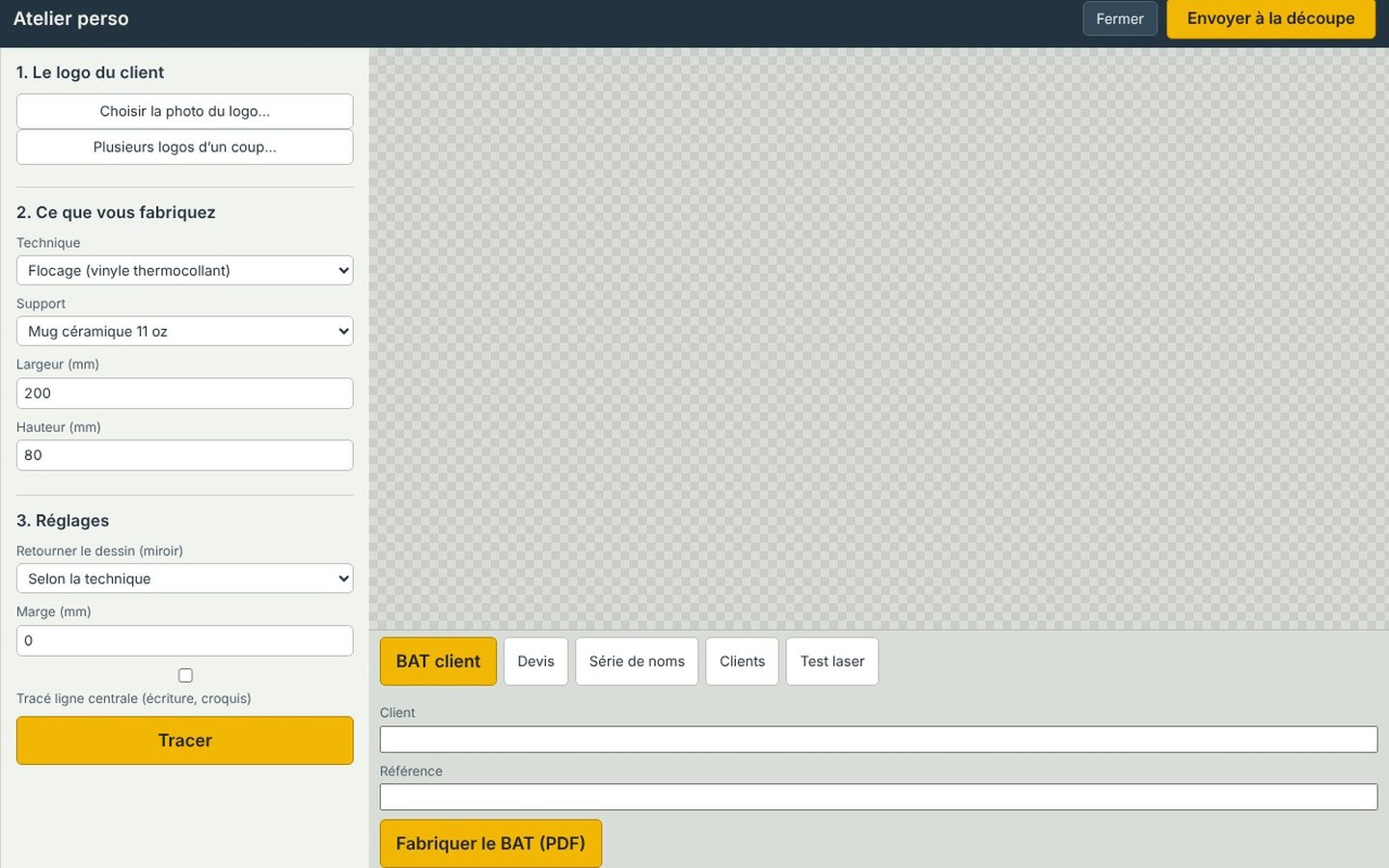
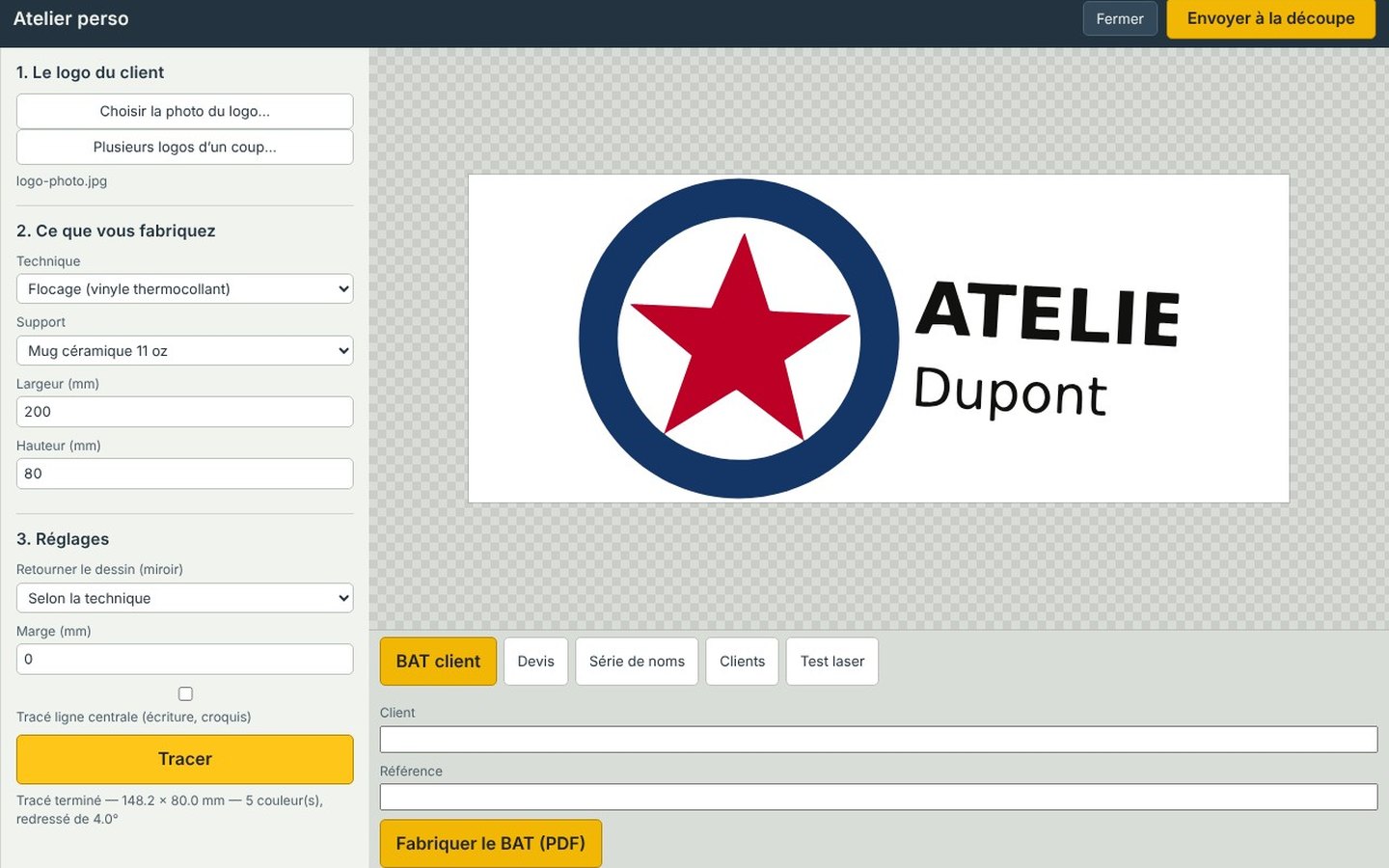
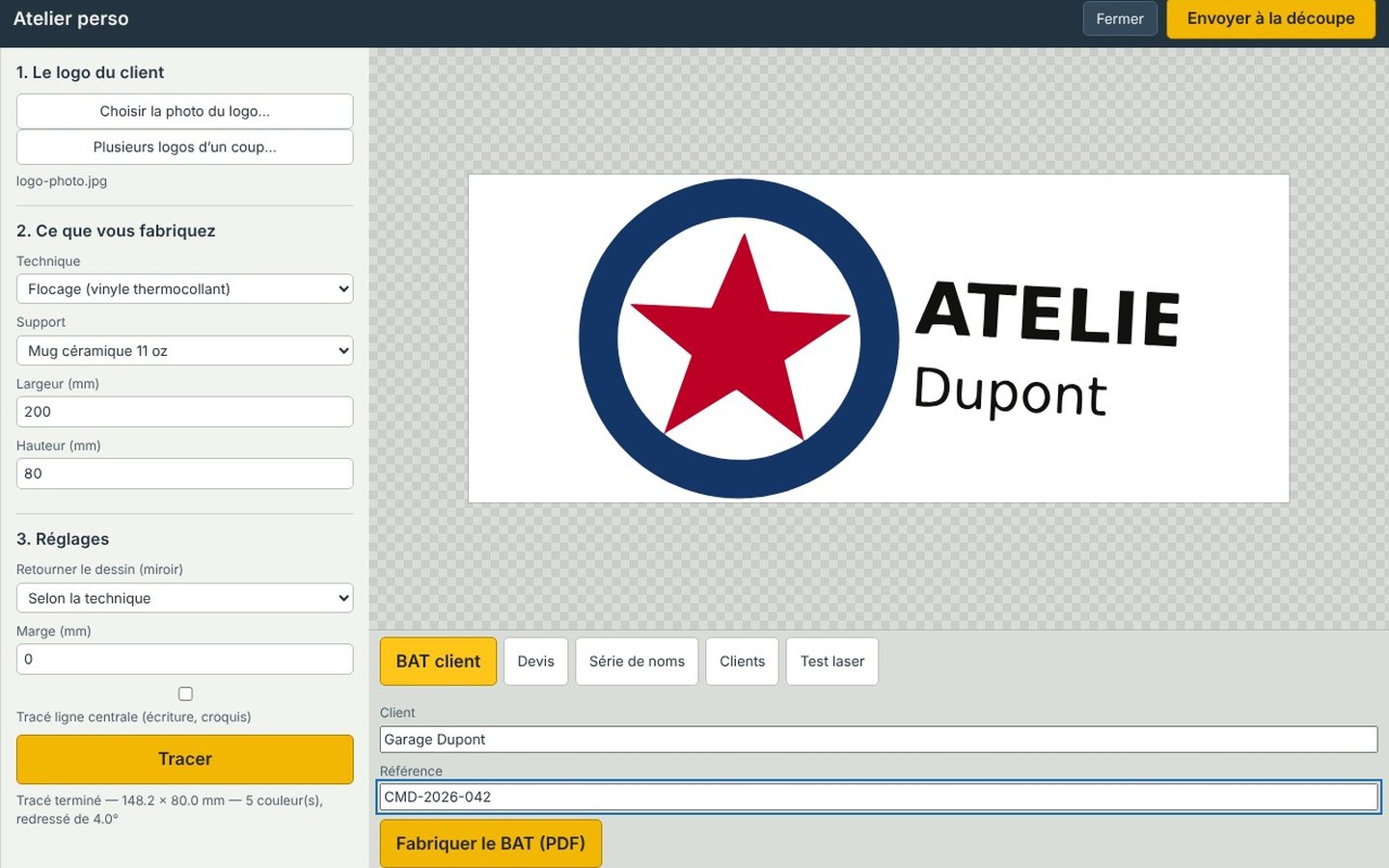
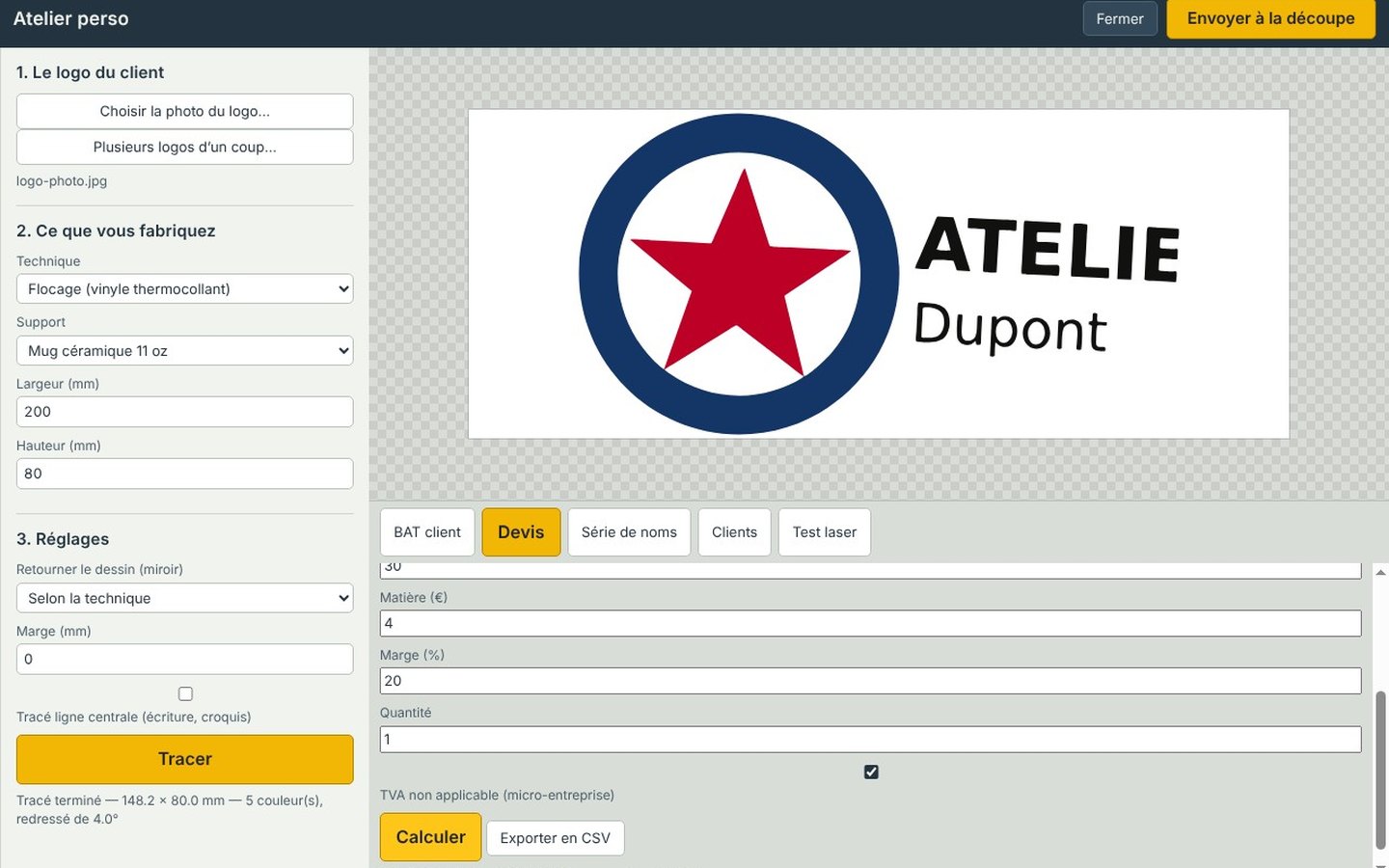
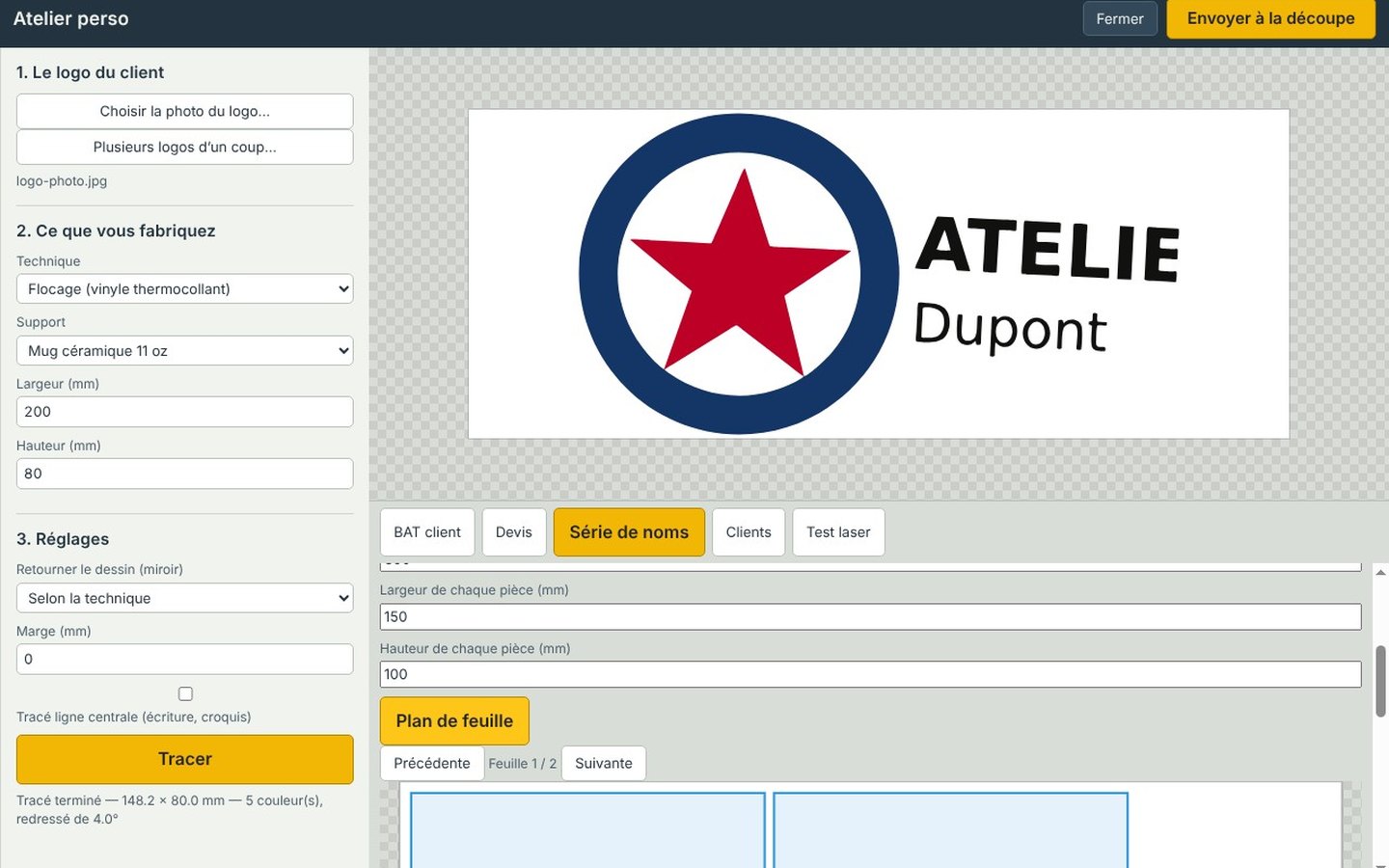
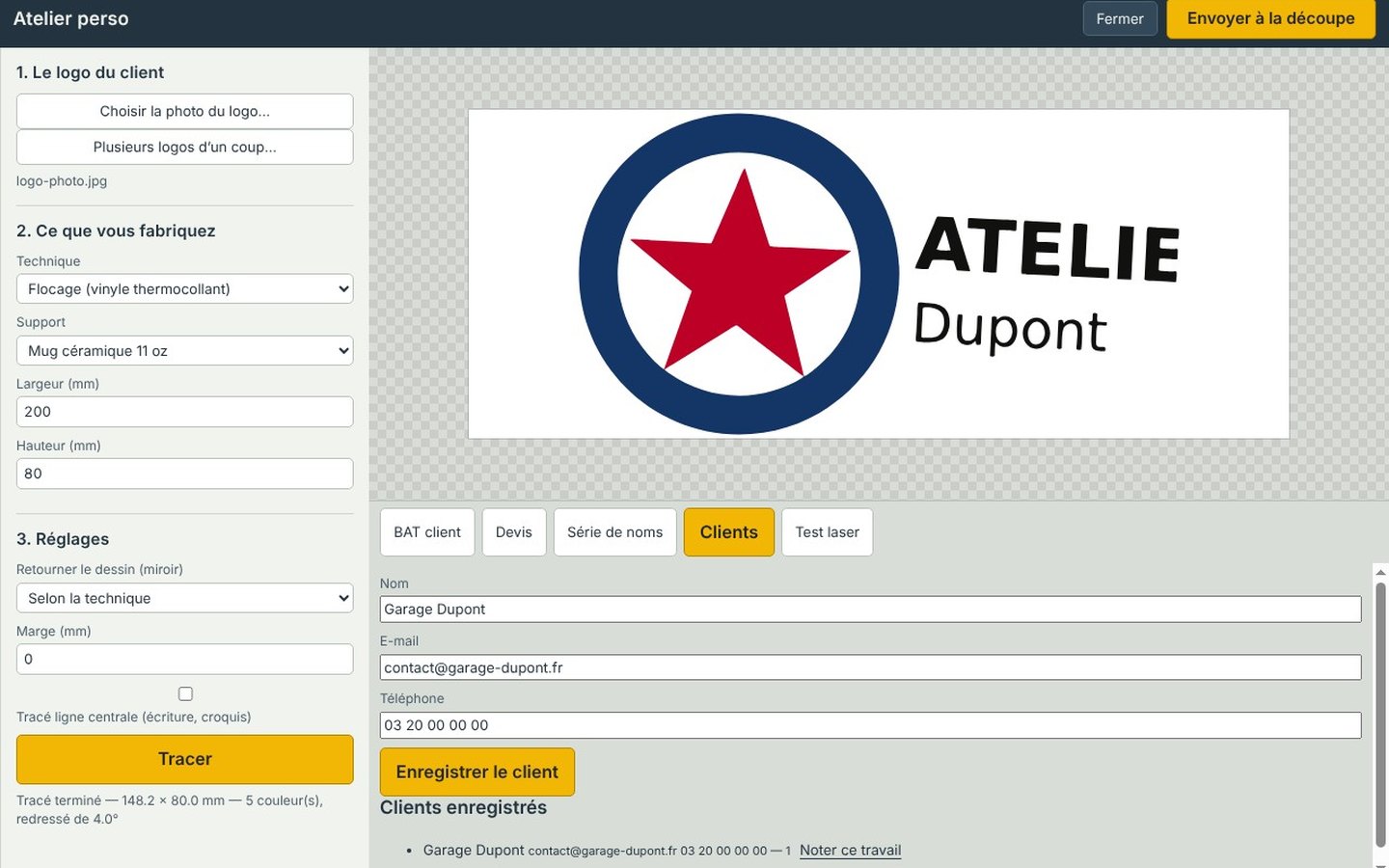
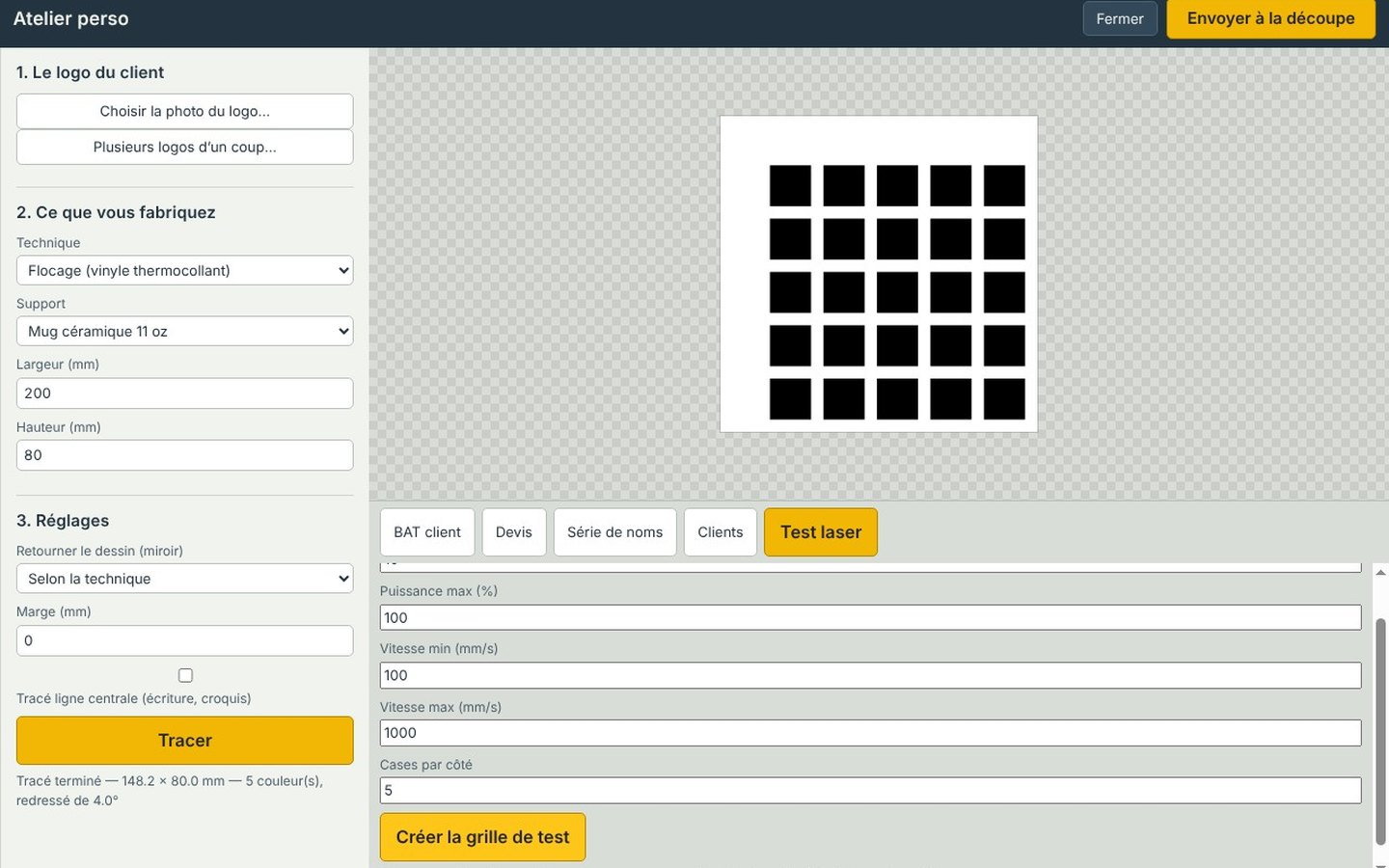
Software that handles your customers and your pricing shouldn't expose or lock anything in. Atelier Perso Lab keeps it all on your own computer.
Logos, proofs, quotes and customer records are saved on your machine, not on an outside server. No connection is needed to work, other than to activate the license.
Quotes export as CSV, proofs as PDF: you can reopen them anywhere, even without Atelier Perso Lab.
The proof shows the exact piece, colors and placement included. Nothing goes into production without that step.
The vectorized drawings and layouts you produce belong to you, with no restriction on commercial use.
Each edition includes everything the one before it has. The license is a one-time purchase; updates are included for one year.
From logo to a file ready for cutting.
€49.00 lifetime license, 1 computer
To get started: vectorize a logo, pick a technique, and send it to cutting.
Recommended
Quotes, proofs for approval and customer records.
€99.00 lifetime license, 1 computer
The edition we recommend: customer management joins the drawing tools.
Complete, plus name/number sets and conical unwrapping, on three computers.
€139.00 lifetime license, 3 computers
For shops that produce team sets or conical items (mugs, bottles), across several workstations.
The license covers the number of computers of the chosen edition. To switch computers, first deactivate the old one under Help › License…. Nothing stops after a year: the license is for life. Only the included updates end. Upgrading to a higher edition later only costs the difference.
| Feature | Essential | Complete | Studio |
|---|---|---|---|
| Vectorization of a logo, photo or scan | |||
| Rendering adapted to the technique (flocking, sticker, laser cutting, engraving, sublimation) | |||
| Automatic color separation into layers | |||
| Direct handoff of the file to FFSMC Cut Lab | |||
| Guided tour, help bubbles, samples and manual | |||
| Proof for approval (PDF) | — | ||
| Quotes worked out, CSV export | — | ||
| Customer records with history | — | ||
| Laser test grid | — | ||
| Batch processing of several logos | — | ||
| Name and number sets | — | — | |
| Conical unwrapping (mugs, bottles, tumblers) | — | — | |
| Three computers | — | — | |
| Edition | €49.00 | €99.00 | €139.00 |
Atelier Perso Lab is available right now, with a free 7-day trial, every feature unlocked. All three editions are online and can be reserved now.
Pulled from the manual, these habits save time from day one.
A logo snapped as a photo instead of a PDF always means more retouching. Ask the customer for the best file they have.
Where Main screen, dashed drop zone
Curious about a button? Rest the mouse on it for a moment: a bubble explains what it does.
Where Everywhere in the software
Even for a regular customer, the proof avoids misunderstandings about a color or a size.
Where Proof tab
On a new sheet or a new fabric, print the laser test grid first: you'll read off the right setting at a glance.
Where Laser test grid tab
Several logos to prepare for different customers? Batch processing avoids reopening each file one by one.
Where Tools › Batch processing
For a mug or a bottle, verify the object's exact diameter before running the conical unwrap: a few millimeters are enough to throw off the design.
Where Tools › Conical unwrapping
The software can only do as well as what it's given. A few habits avoid plenty of retouching and misunderstandings.
A PDF or a vector file always gives a better result than a photo snapped in a hurry.
Even on a small order, get the proof approved before manufacturing: it's the best protection against a dispute.
A new fabric, a new sheet, a new mug: the laser test grid or a test on a scrap piece avoids wasting the whole batch.
For a mug or a bottle, measure the diameter yourself rather than trusting the supplier's spec sheet: it sometimes varies from one batch to the next.
Note the exact shade or the customer's preference in their record: the next order will be quicker to prepare.
What people ask before buying, and what they look up once the software is installed. Type a word or pick a topic.
To prepare a personalization order from start to finish: turn the customer's logo into a clean drawing, adapt the rendering to the chosen technique (flocking, stickers, laser cutting or engraving, sublimation), produce a proof to sign off on, work out the quote, and keep the customer's record for the next order.
For flocking, stickers, laser cutting and engraving, yes: Atelier Perso Lab prepares the drawing and sends it to Cut Lab, which drives the machine. For sublimation and conical items, no cutting machine is needed.
Yes. Download the installer on this page: Atelier Perso Lab runs for 7 days with every feature unlocked, name/number sets and conical unwrapping included, at no cost.
The license is a one-time purchase, no subscription: 49 € for Essential, 99 € for Complete, 139 € for Studio (Complete on 3 computers). Updates are included for one year.
Yes: Atelier Perso Lab runs on Windows 10 and 11 (64-bit) and on Mac (Intel and Apple silicon).
Only to activate the license and, occasionally, to check it. Everything else works without an Internet connection.
A sharp image always gives a better trace. A small or blurry image still works, but the result will need more manual retouching before it's ready to manufacture.
Pick it on the main screen: flocking, sticker, laser cutting, laser engraving or sublimation. The software immediately adjusts the preview and warns if a detail is too fine for the chosen technique or material.
The trace automatically separates the colors into distinct layers, for multi-color flocking or several machine passes.
Once the rendering is set, the proof button generates the PDF: send it by email or print it for an on-the-spot signature. It's automatically filed with the customer's record.
Yes, instantly: the quote recalculates from the technique, the personalized surface and the quantity on every change.
Yes, the export button writes a CSV file you can reopen in Excel, LibreOffice or your accounting software.
Give the list of names and numbers to the « Sets » tool (Studio edition): the whole set is laid out at once, with consistent alignment and size.
The conical unwrapping tool (Studio edition) works out the exact unwrap from the object's diameter and height, so the logo comes out straight once applied. The file is ready for sublimation printing.
Essential is enough to vectorize a logo and send it to cutting. Complete, which we recommend, adds proofs for approval, quotes and customer records. Studio adds name/number sets and conical unwrapping, on three computers.
Yes, at any time, paying only the difference. The new key is entered under Help › License… and replaces the old one, with nothing to reinstall.
After buying on ffsmc.fr, you immediately receive an email with your key. In the software: Help › License…, paste the key and click « Activate ».
Once a day, Atelier Perso Lab checks for a new version. If one exists, it offers « Install now », « Later » or « Skip this version ». To turn this check off or back on: Help › Notify me of new versions.
Write to [email protected]. Describe what you were doing and, if possible, attach a screenshot. We reply quickly, in French or English.
No question matches. Write to us at [email protected]: the answer will help the next person too.
Christophe Queyroi developed Atelier Perso Lab so that the most tedious part of personalization work, between the customer's logo and the finished piece, takes a few minutes instead of an hour. FFSMC is a very small French company: support replies quickly, in French or English, at [email protected].
Seven days, every feature unlocked, to vectorize a logo, prepare a proof and work out a quote.
Try it free