Essential Edition — Everything you need to cut accurately without waiting: sending from your design software, every machine setting, a logical cutting order, simulation and print and cut.
Your design software stays free
One button in Illustrator sends the design to Cut Lab, and Illustrator stays usable for the whole cut. The same goes for Inkscape, from its Extensions menu, and for CorelDRAW. You can also open your AI, PDF, SVG and DXF files directly: the exact size of the design is kept.
Draw directly in Cut Lab
No need for design software to get started: the “Draw” button opens a simple workshop made for people who are not graphic designers. Rectangles, circles, polygons, stars, lines, pen, freehand and text with every font on the computer; shapes can be welded, cut, hollowed out or reduced to their common part; the grid and the shapes are magnetic, and each colour gets its own cut setting. The finished drawing goes to the cutter in one click, or is saved as SVG.
Several different designs can be placed on the same sheet, each in its own spot: one “Add a design” button is all it takes, and “New” or “Close” start again from an empty sheet.
Your design can be sorted into layers that you name, hide or lock; when cutting, each layer has its own settings and can go on its own sheet, in its exact place. From a closed shape, Cut Lab also makes relief layers, smaller and smaller, for diorama terrain, a rock or a layered paper picture.
The Complete Edition adds assistants that draw for you: 3D templates, model-making parts, decorations and precision shapes, plus a plan or photo in the background to trace at the right scale.
Every setting, with ready-made values
Depth, force, speed, number of passes, carriage 1 or 2: everything is there, and the AutoBlade adjusts itself. More than thirty materials come preset (vinyl, heat transfer vinyl, paper and card, paint masks, sticker paper, magnet, felt…), and a setting that works can be saved under the name of your choice, and can be shared with a friend or a club in a simple file. After a test cut, "Less" or "More" adjusts the pressure in one click. Simple mode shows beginners what matters, expert mode shows everything.
Each colour or layer of the design can have its own setting, or be skipped. Heat transfer vinyl is mirrored automatically, and thick materials get corner overcut and stronger roller drive.
Cutting in the right order
Cut Lab cuts zone by zone, inside before outline, row by row, starting on a sharp corner: corners are crisp and outlines close properly. Duplicate paths are removed, and overlapping shapes can be welded. One click on a zone leaves it out of the cut or brings it back, handy to cut only part of a design or to use up an offcut. The blade can be moved with the arrow buttons for a test cut exactly where you want it.
Check before sending
The software warns you about an open path, text that has not been converted to outlines, an element that is too small or a piece off the sheet. The simulation animates the blade path on screen, with the cutting length and the estimated time. During the cut you follow the progress and the time left; a clean stop lets you resume at the next zone, and a Windows notification tells you when it is finished.
Print and cut
Registration marks go in the margins, as discreet as possible, so they leave with the offcut. Cut Lab prints the sheet at its exact scale, the machine reads the marks and cuts around the printed design. Machine calibration (a 100 mm square, measured then corrected) and print and cut calibration (a test sheet read to a tenth of a millimetre) are included in every edition.
Design libraries
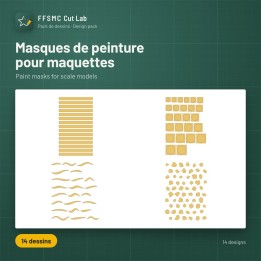
A discovery pack comes free with the software. Other packs are sold separately and work with every edition: roundels of the world, paint masks, diorama and model railway scenery from 1:35 to 1:160 (from Gaul to modern times), bridges, 1:12 dollhouse, scrapbooking and Christmas. They are already inside the software: you can look at every design before buying, and the key you receive unlocks it. All the packs, with their assembly plans, are on ffsmc.fr/en/cut-lab-bibliotheques. Every design can be previewed in the software before you buy.
The three editions
| Feature | Essential | Complete | Studio |
|---|
| Sending from Illustrator, Inkscape and CorelDRAW without freezing them | ✔ | ✔ | ✔ |
| AI, PDF, SVG and DXF files at their exact size | ✔ | ✔ | ✔ |
| Every setting, more than thirty preset materials, one-click pressure | ✔ | ✔ | ✔ |
| Settings per colour or layer, logical cutting order, zone selection | ✔ | ✔ | ✔ |
| Pre-send check, simulation, stop and resume | ✔ | ✔ | ✔ |
| Print and cut, machine and print and cut calibration | ✔ | ✔ | ✔ |
| Design pack libraries (free discovery pack) | ✔ | ✔ | ✔ |
| Drawing workshop: shapes, text, layers, combining, several designs on one sheet | ✔ | ✔ | ✔ |
| Drawing assistants (templates, model making, decoration, pen, precision), plan in the background to trace, relief layers | — | ✔ | ✔ |
| PNG and JPG images, outline traced automatically; canopy masks from a scan or a photo | — | ✔ | ✔ |
| Model scale, stacked layers, transfer tape placement | — | ✔ | ✔ |
| Roundels, insignia, registrations, ready shapes, pen writing, puzzles | — | ✔ | ✔ |
| Outline, frames, sticker sheet, weeding, tight nesting, duplication | — | ✔ | ✔ |
| Perforation, scoring, foil, hatching; two tools in one cut | — | ✔ | ✔ |
| Several sheets (tiling, one sheet per colour), SVG, PDF and DXF export | — | ✔ | ✔ |
| Job history, blade wear tracking | — | ✔ | ✔ |
| Several machines on one computer | — | — | ✔ |
| Computers | 1 | 1 | 3 |
| Price, lifetime licence | 59 € | 119 € | 169 € |
Compatible machines
Cameo 5, 5 Plus, 5 Alpha and 5 Alpha Plus; Cameo 4, 4 Plus and 4 Pro; Cameo Pro MK II; Cameo 3 and Cameo 2; Portrait 4, 3 and 2; Curio. USB connection with no driver change: the manufacturer's software keeps working alongside.
Lifetime licence
Bought once, no subscription, yours for life on 1 computer. Updates are included for one year. 7-day free trial with every feature before you buy: your licence key arrives by e-mail as soon as you pay and is entered in the software. Cut Lab works offline for up to two months, and "Release this computer" moves the licence to a new PC.
Installation
Install FFSMC Cut Lab for free from the Microsoft Store, then enter your key. The software speaks French, English, Spanish, German, Italian, Polish and Brazilian Portuguese, and comes in three themes: light, dark and girly.
Requirements
Windows 10 or 11, 64-bit. Internet connection to activate the licence. A compatible cutting machine, connected by USB.
Silhouette, Cameo, Portrait and Curio are trademarks of Silhouette America, Inc. FFSMC Cut Lab is independent software, neither made nor endorsed by Silhouette America.




Commentaar (0)
Uw beoordelingswaardering kan niet worden verzonden
Rapporteer reactie
Melding verzonden
Uw opmerking kan niet worden verzonden