Nothing gets lost any more
Every copy is kept, with the program it came from and the time. Copied something over an important address? It is still in the list.
Critical PHP vulnerability — 21 October 2026
Free software for Windows and Mac · made in Bergues, France
The Windows and Mac clipboard only remembers one thing: each copy wipes out the one before. CopCol Lab keeps everything: text, links, images, files. Press Ctrl+Alt+V and the list appears next to your mouse. One click and it is pasted.
The address you copied this morning, yesterday’s screenshot, last week’s link: it is all still there.
Really free: no account, no credit card, no limited version.

Every copy is kept, with the program it came from and the time. Copied something over an important address? It is still in the list.
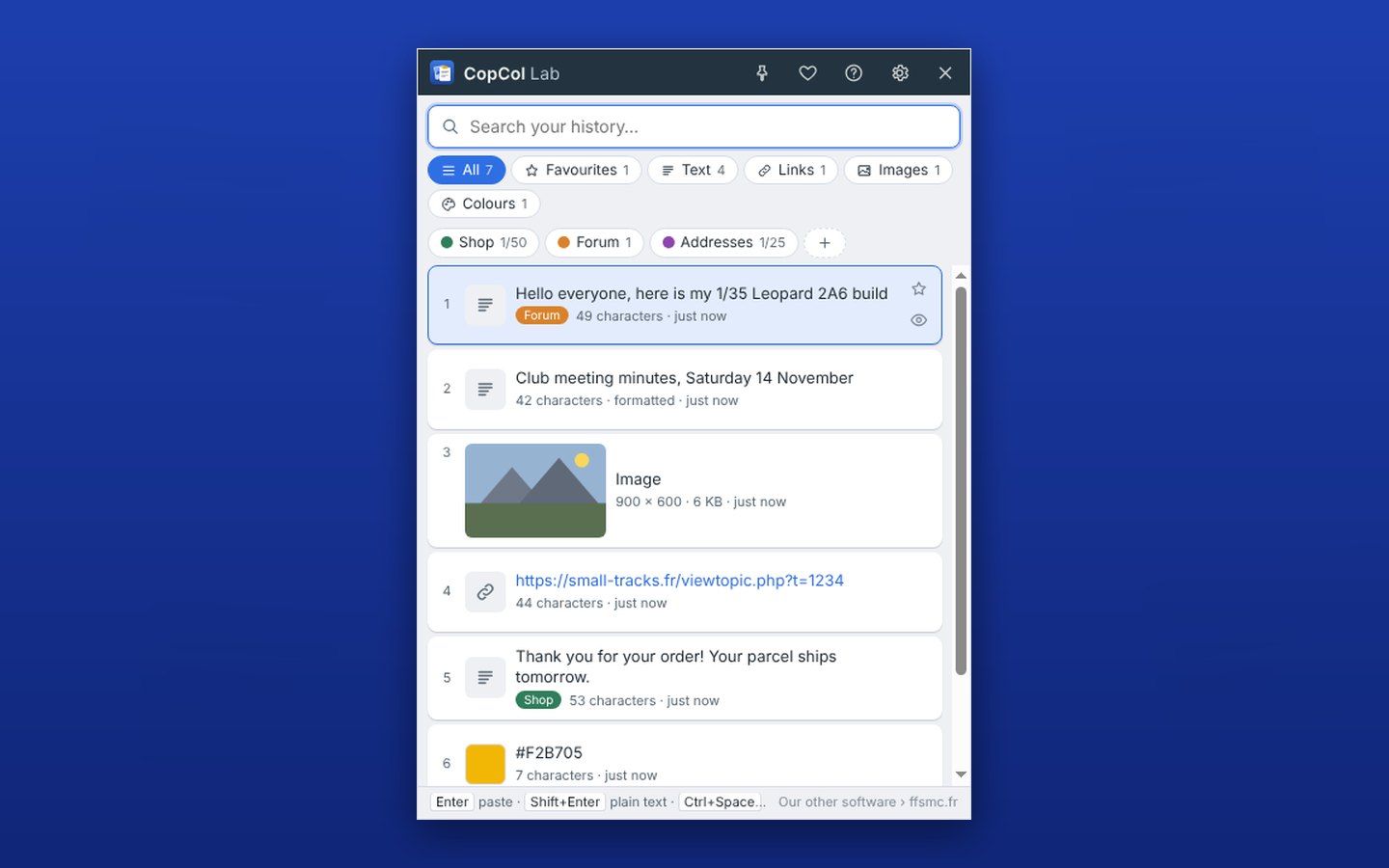
Your copies sort themselves into text, links, images, files and colours. You can also create your own themes, “Shop”, “Forum”, “Addresses”, and pick from them.
The history stays on your computer, encrypted. Passwords copied from a password manager are never kept.
A small program you forget about until the moment it saves the day. Every button has its tooltip, and the F1 key opens the full user guide at the right page.
Every day
Copy as usual, with Ctrl+C or the right-click menu. CopCol Lab quietly keeps everything, next to the clock. When you need it, Ctrl+Alt+V opens the list next to your mouse.
Clicking a copy pastes it straight into the program you were using. With the keyboard, the arrows and Enter are enough, and Ctrl+1 to Ctrl+9 paste your last nine copies.
Free
Images
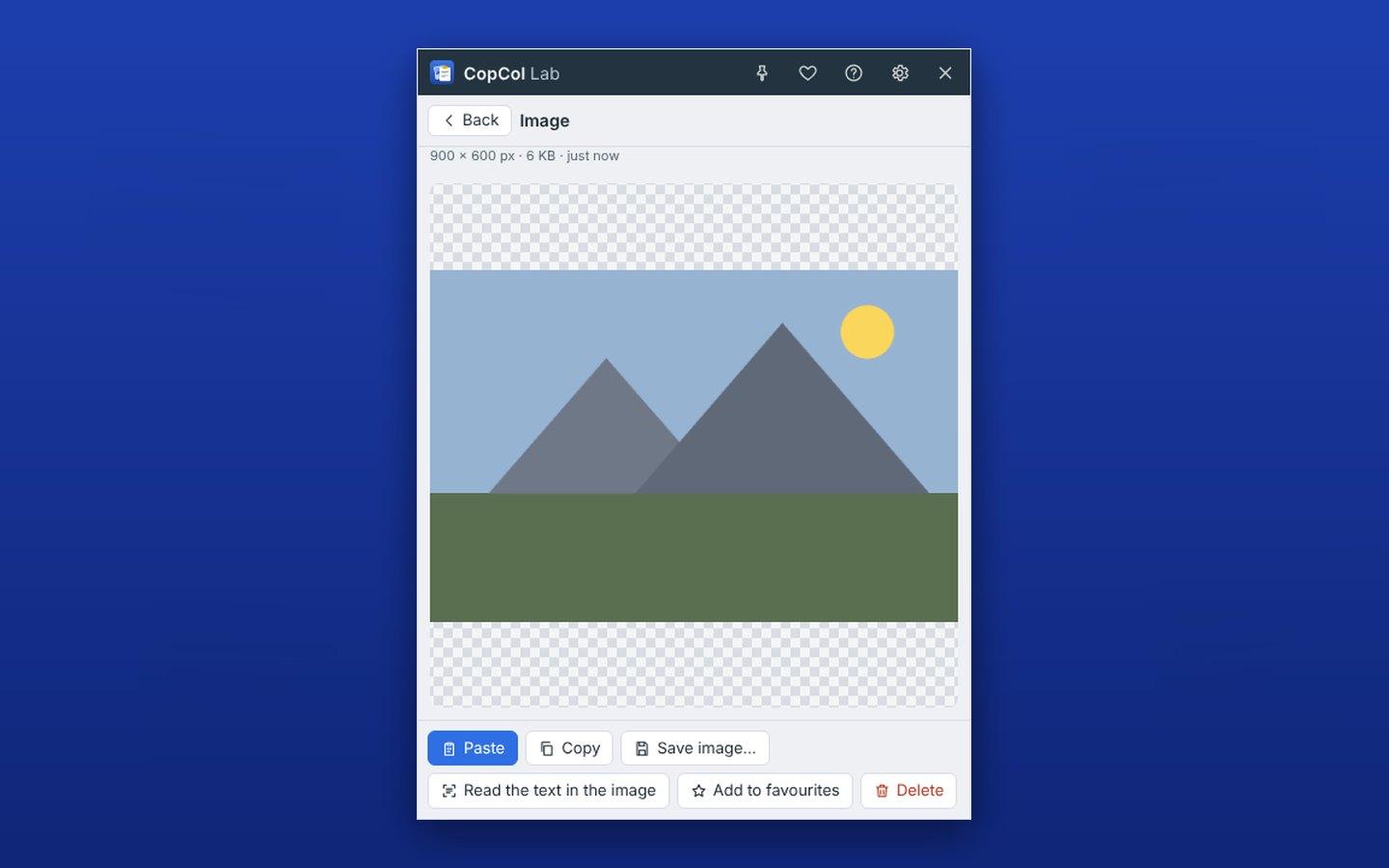
A screenshot, a photo copied from the Internet, part of a drawing: CopCol Lab keeps the image and shows it as a thumbnail. Rest the mouse on it and it grows. Click the eye and it opens full size.
You can save it as PNG or JPG and, on Windows, read the text it contains so you can paste it without typing a thing.
Free

Filing
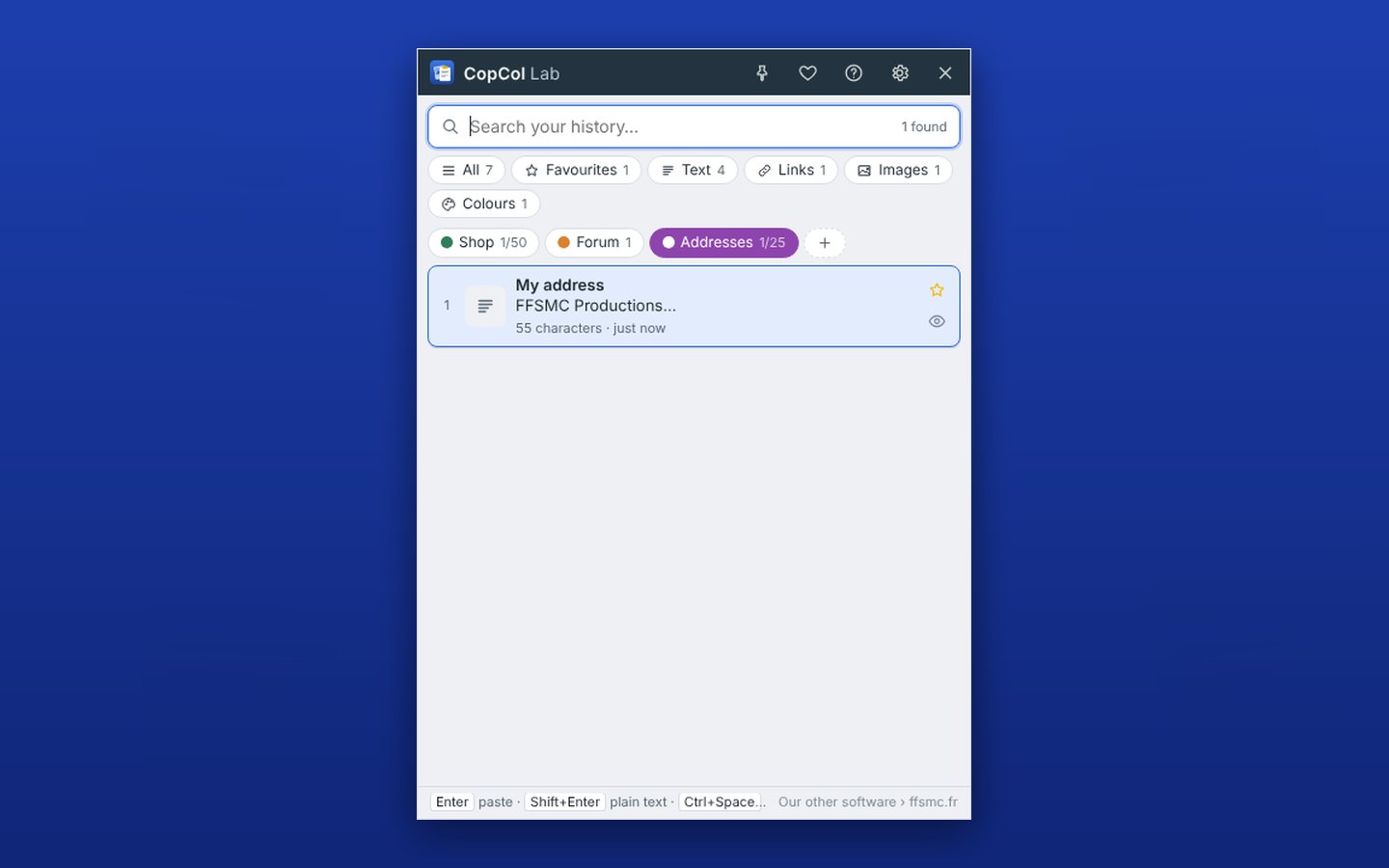
Create themes as you like, each with its colour: “Shop”, “Forum”, “Addresses”, “Letters”. File a copy with a right-click, or by dragging it onto the theme.
Each theme keeps as many copies as you choose. And what you copy in a given program can go there on its own: everything from Word into “Letters”, for example.
Free


Big jobs
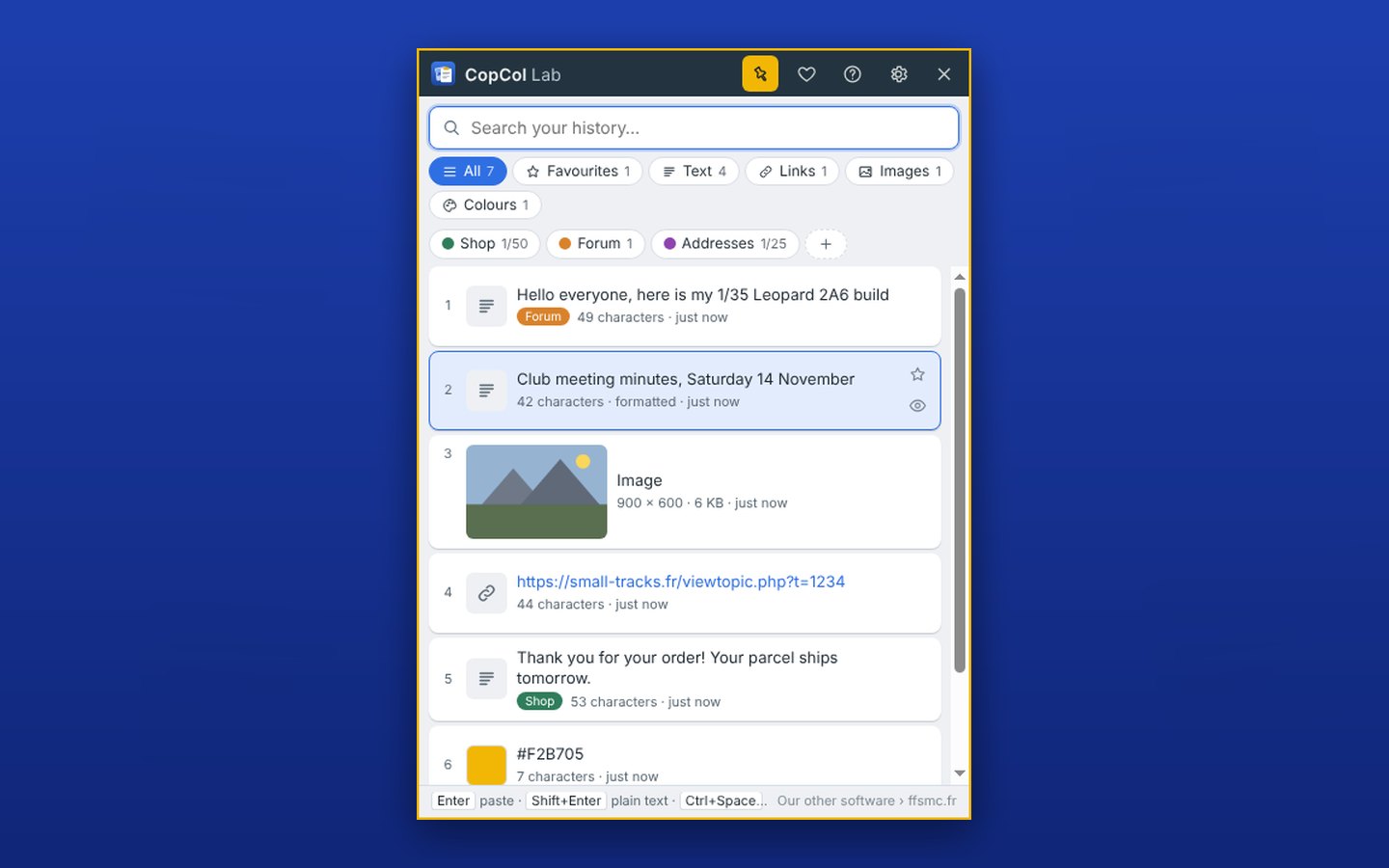
Filling in a form, preparing a catalogue, answering twenty messages? Pin the window: it stays open on top of your programs.
Each click on a copy pastes it where you are working, without closing the window. It comes back to the same place every time it starts.
Free

For everyone
Every button and every setting has its tooltip. The F1 key opens the full user guide, in your language, right at the part that matches what you are doing.
CopCol Lab speaks English, French, Spanish, German, Italian, Polish, Portuguese and Dutch. Three looks: light, dark and girly.
Free


Screenshots of the software as you will install it, version 1.2.0. Click to enlarge.
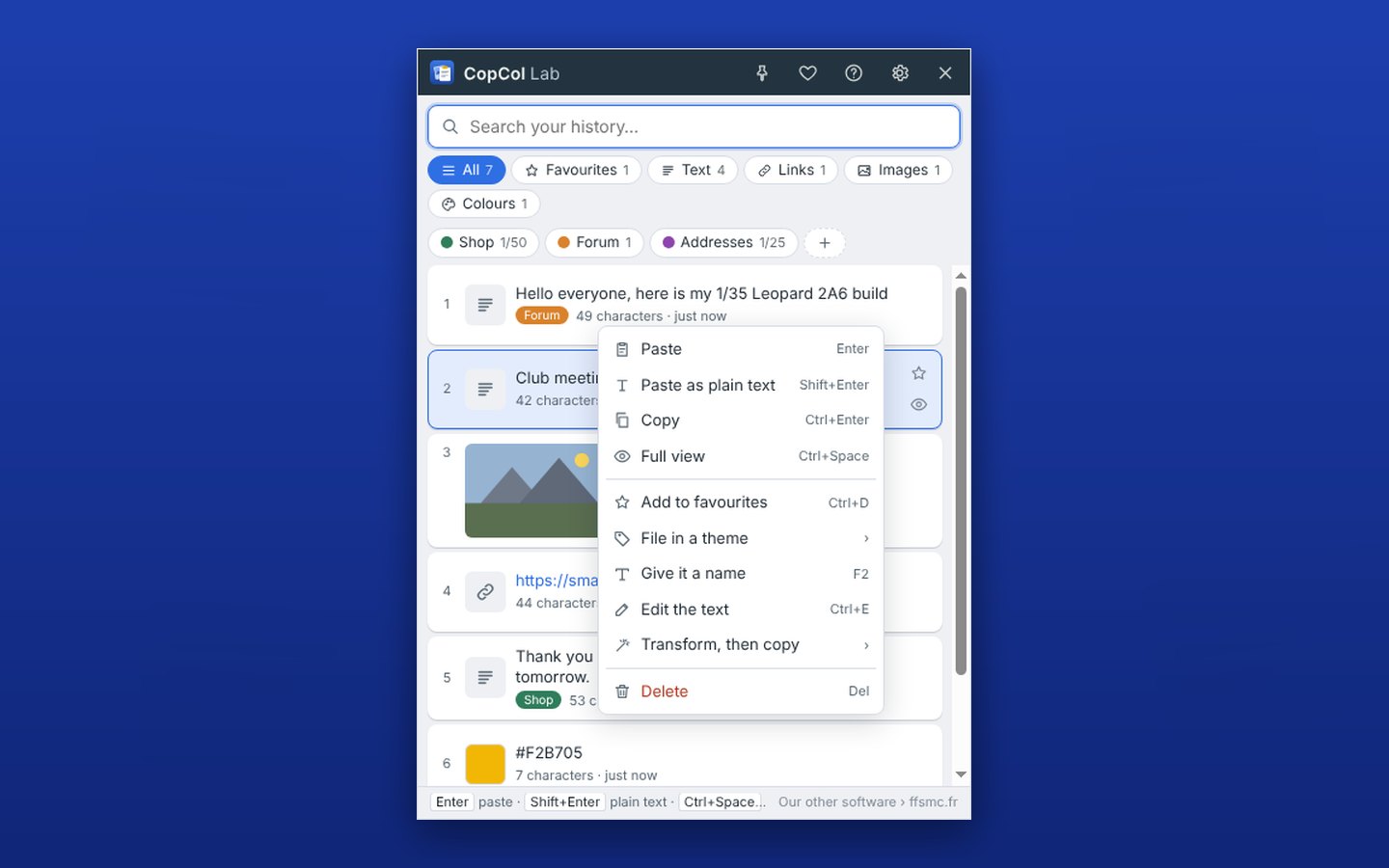
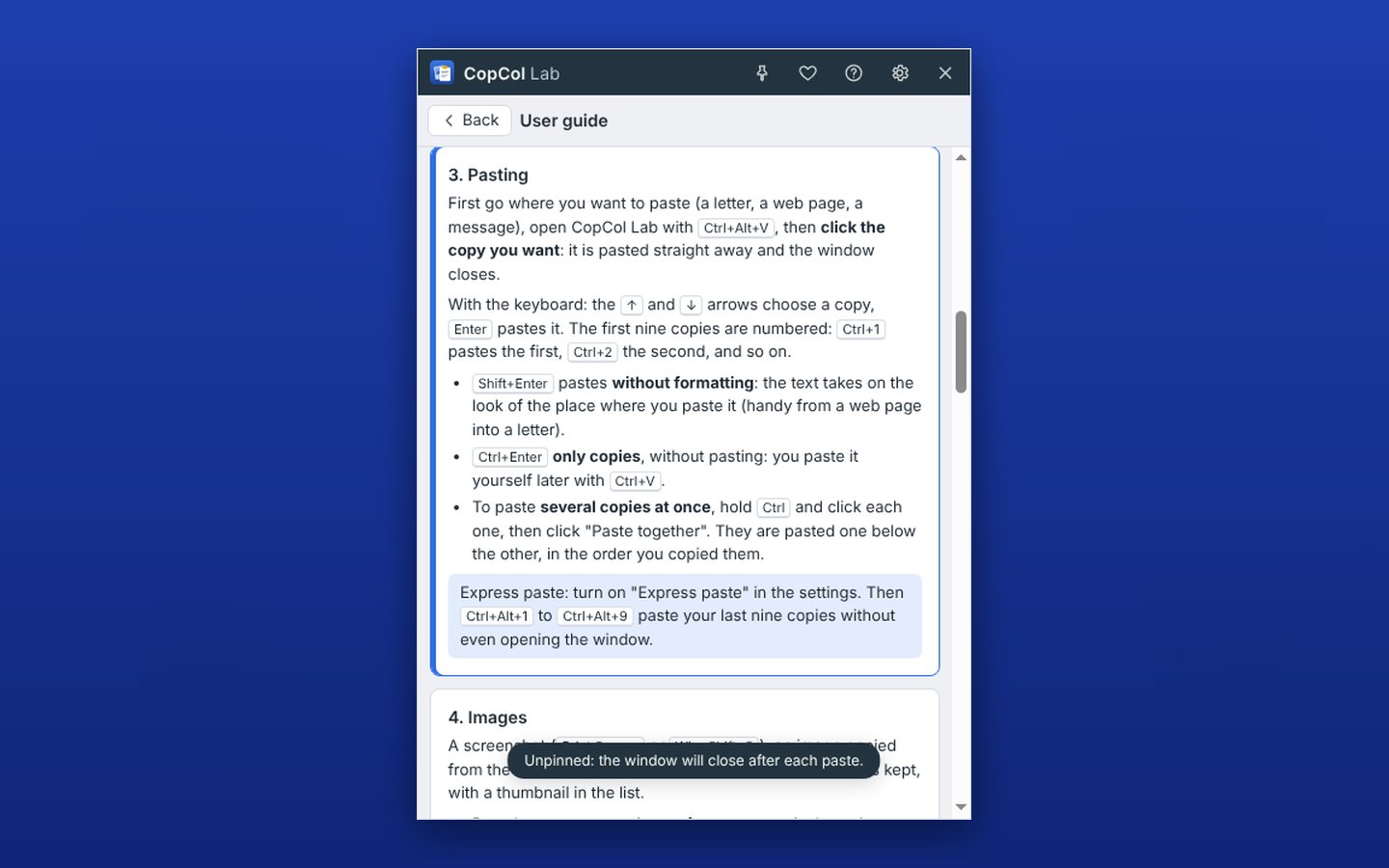
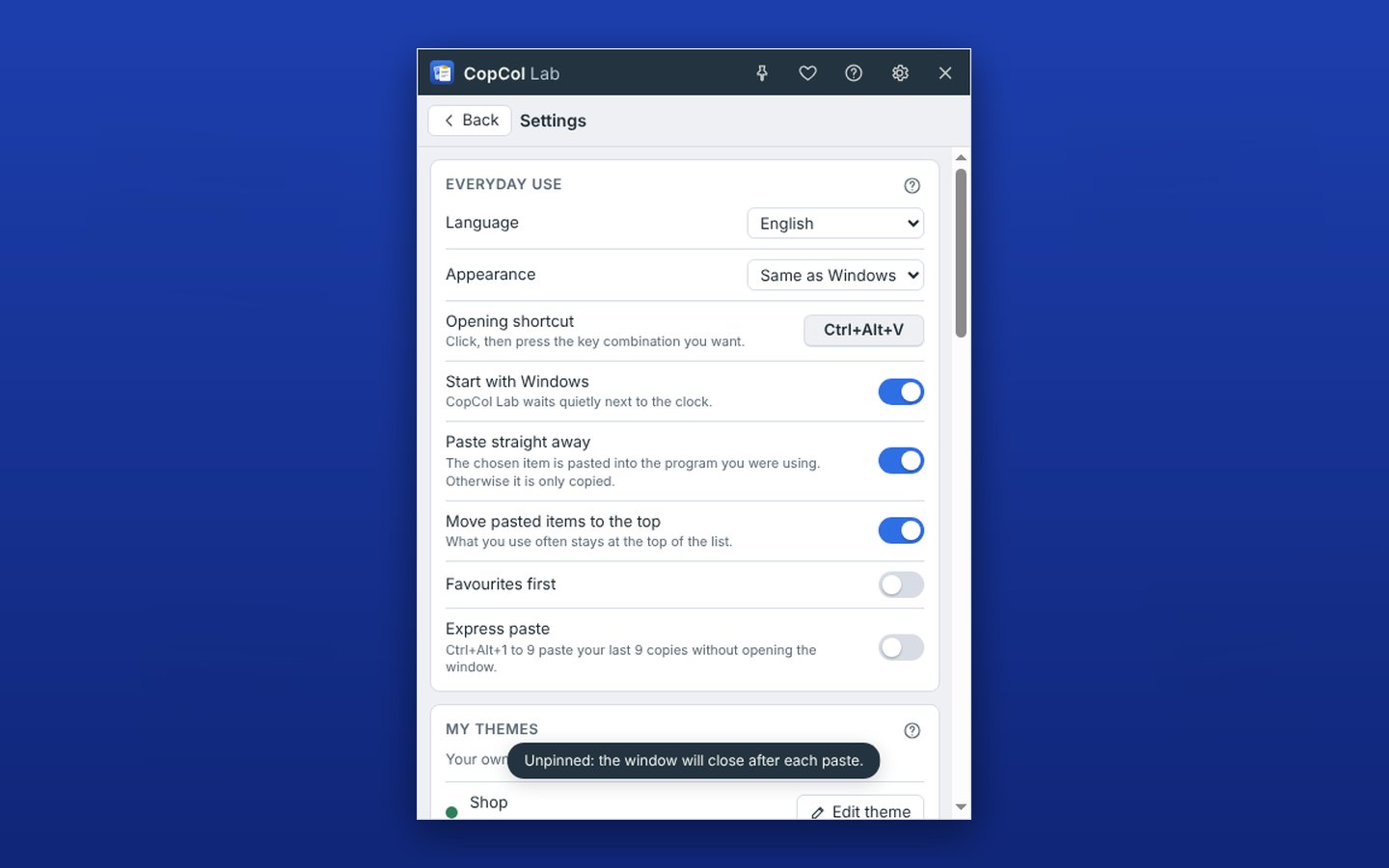
What you copy says a lot: addresses, messages, numbers. CopCol Lab is built so that nothing leaves your computer.
No account, no cloud, no statistics. The only connection checks, once a day, whether a new version exists.
The history is encrypted on disk, with a key protected by Windows or macOS: it can only be read from your own account.
KeePass, Bitwarden, 1Password, Dashlane and the others flag their copies: CopCol Lab lets them through without keeping them. You can also exclude any program, your bank for example.
Pause in one click, delete a copy with one key, empty the whole history whenever you like. When uninstalling, CopCol Lab offers to delete the history too.
CopCol Lab is free, completely, with no limited version and no intrusive ads. A single discreet line at the bottom of the window leads to our other software.
If CopCol Lab helps you, the little heart at the top of the window lets you make a PayPal donation of any amount. Nothing compulsory: the software stays complete and free, donation or not.
Free, no sign-up. Double-click the downloaded file, installation takes a few seconds, then press Ctrl+Alt+V. On first launch, Windows may show “Windows protected your PC”: click “More info”, then “Run anyway”. The program is signed in the name of Christophe Queyroi.
What we learned using it every day.
A catalogue to fill in, replies to send? The pin keeps the window open and every click pastes where you are.
Where The pin, at the top of the window
Your address, your signature, your company number: one star and they will never be deleted.
Where Each copy’s star, or Ctrl+D
“My bank details”, “Delivery address”: type the name in the search box and the copy appears.
Where Right-click › Give it a name, or F2
Add Word to a “Letters” theme: everything you copy there goes straight in.
Where Right-click a theme › Automatic filing
An invoice as a screenshot, a number in a photo: CopCol Lab reads the text and copies it for you (Windows).
Where Right-click the image › Read the text
A copied colour code shows with its swatch, and the full view also gives its HEX, RGB and HSL forms.
Where A colour’s eye button
Type a word to find your answer, or choose a topic.
Yes. No trial that runs out, no limited version, no subscription, no account to create. FFSMC sells other software; CopCol Lab is a gift. A donation is possible, never compulsory.
Just one small grey line at the bottom of the window, “Our other software › ffsmc.fr”. No pop-ups, no banners, no sounds.
Windows 10 and 11, and Macs with macOS 12 or later, Intel as well as Apple silicon.
No. On Windows it installs for your account only, without an administrator password. It is also on the Microsoft Store.
Press Ctrl, Alt and V together (on a Mac: Control, Option and V). You can also click its icon next to the clock, or in the menu bar on a Mac. The shortcut can be changed in the settings.
500 at first, adjustable between 100 and 5,000. You can also set a duration, and a number for each type: for example 100 texts and 30 images. Favourites and copies filed in a theme follow their own rules.
Some programs running as administrator refuse to let others paste into them. The copy is ready anyway: press Ctrl+V. On a Mac, check that CopCol Lab is ticked in System Settings › Privacy & Security › Accessibility.
Yes, every copied image, screenshots included, up to the size you choose (30 MB at first).
No. Everything stays on your computer, encrypted. The only connection checks whether a new version exists, and it contains none of your data.
Those you copy from a password manager are never kept. For anything else, you can pause CopCol Lab or tell it to ignore a program for good.
No: it is encrypted for your computer and cannot be moved. That is on purpose, so nobody can read it anywhere else.
No question matches. Write to us at [email protected]: the answer will help others too.
Christophe Queyroi developed CopCol Lab for his own work, between his shop, his forum and his software, then decided to give it away. FFSMC is a small French company: support answers at [email protected].
A few seconds to install, and your clipboard finally has a memory.
Download for free